
Moread HDMI to VGA Adapter
4.6Editor score
Five year unconditional warranty included
Advanced IC chip ensures stability
Compatible with most HDMI devices
This guide compares the top ten HDMI to VGA converter adapter options available in the market today to help you choose the right one for your specific display
Finding the right HDMI to VGA converter adapter is essential for connecting modern devices to legacy displays. These tools bridge the gap between digital and analog signals ensuring smooth video output for presentations and entertainment setups.
We evaluated ten highly rated models based on signal stability build quality compatibility with various devices and overall user feedback. Our analysis focuses on real world performance to ensure you get reliable functionality without unnecessary complexity or cost.
Each pick highlights key strengths like audio support resolution limits and warranty coverage so you can make an informed decision. Keep in mind that product availability and pricing can change over time so check current listings before purchasing your adapter.
4.6Editor score
4.6Editor score

4.5Editor score
The following table provides a side-by-side overview of the leading HDMI to VGA converter adapters. Each entry details key specifications and design features to help you quickly identify the model that fits your connection requirements.


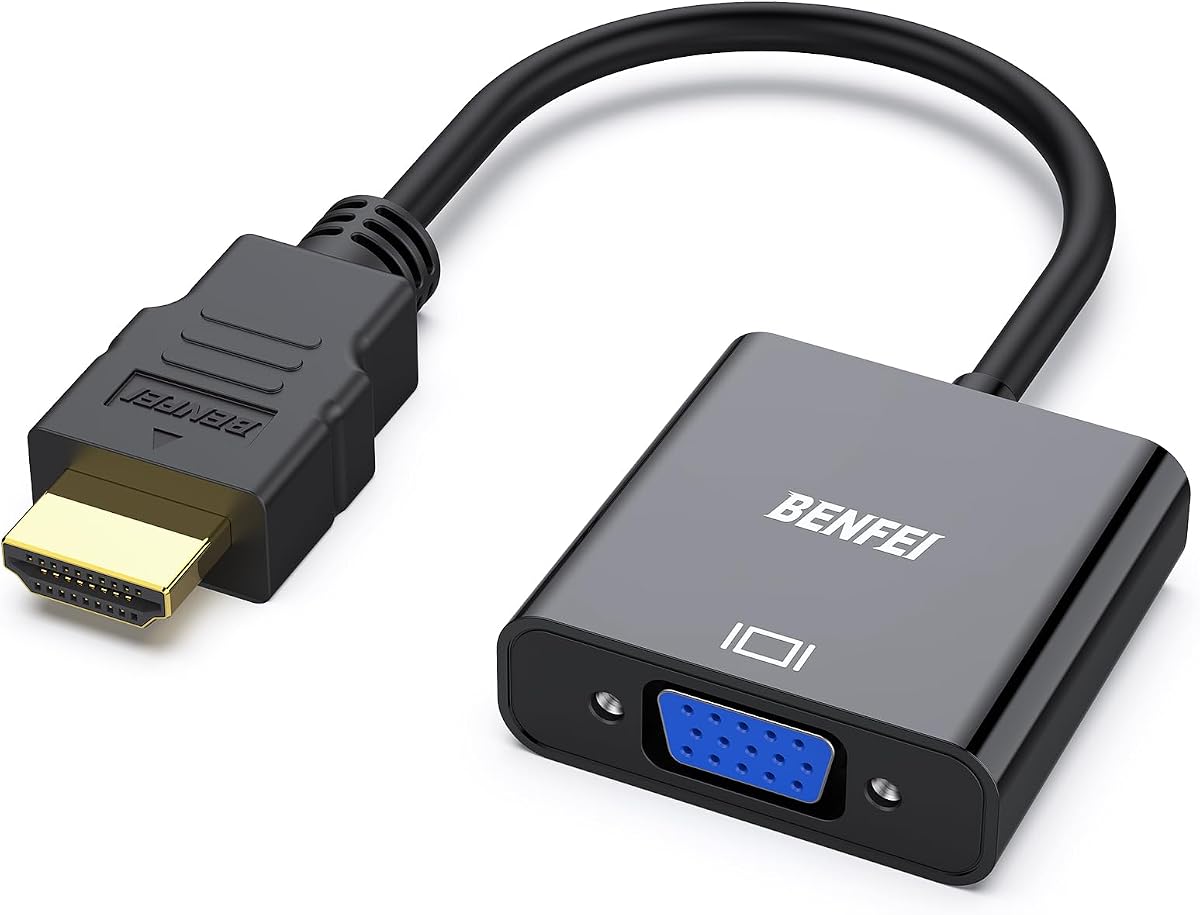
This BENFEI HDMI to VGA adapter stands out as a reliable choice for connecting modern computers to legacy displays. With a high user rating and solid build quality it delivers consistent performance for presentations and home entertainment setups.
We may earn a commission when you buy through this link, at no additional cost to you.
The advanced internal chip ensures stable conversion from HDMI digital signals to VGA analog outputs. Gold plated connectors help resist corrosion and maintain clean signal transmission over time. Its compact size makes it easy to carry in a laptop bag.
While it does not support backward conversion from VGA to HDMI this limitation is standard for passive adapters in this category. You will also need to provide your own VGA cable which adds slight extra cost but keeps the adapter itself compact.
Users who need a dependable solution for connecting laptops to projectors or older monitors will find this adapter highly effective. Its broad compatibility and warranty support make it a top recommendation for general use cases.
The built-in IC chip ensures consistent conversion of digital HDMI signals to analog VGA outputs without signal loss.
Gold plated HDMI connectors resist corrosion and abrasion improving long-term signal transmission reliability.
We may earn a commission when you buy through this link, at no additional cost to you.
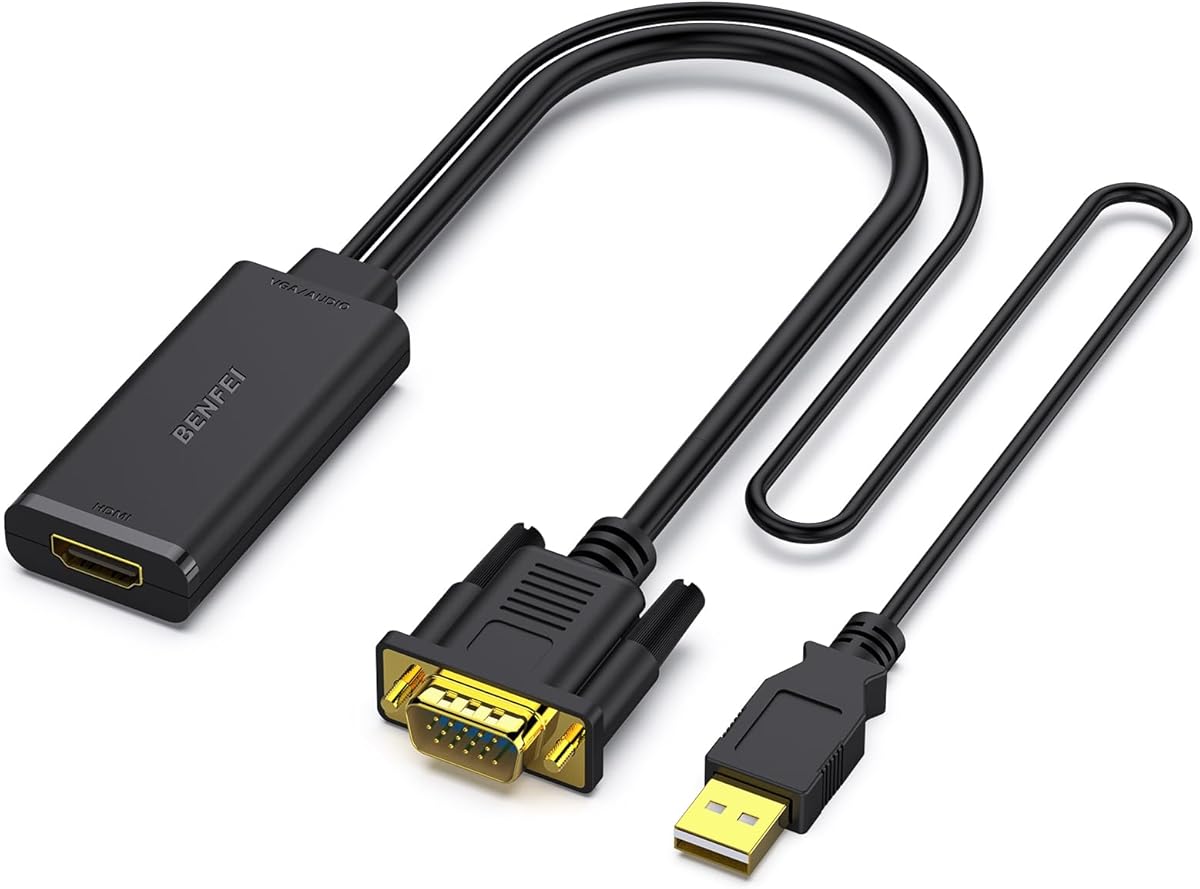
This adapter serves users needing to connect older laptops or desktops with VGA ports to modern HDMI displays. It handles the reverse conversion from analog VGA to digital HDMI and includes features for audio transmission.
We may earn a commission when you buy through this link, at no additional cost to you.
The USB audio capability allows sound to travel alongside video to the connected monitor or TV. Users may need to adjust sound settings in Windows to route audio correctly. The chip inside maintains stable signal conversion for smooth playback.
While effective for VGA sources it cannot work in reverse for HDMI to VGA connections. This specificity means it is ideal only when the source device lacks HDMI output but your display has HDMI input.
If you are presenting from an older workstation or need to project to a modern screen this adapter provides a practical solution. Its warranty and compact form factor add value for frequent travelers.
Integrated USB cable embeds audio with video over HDMI enabling sound output to connected displays.
No drivers or software installation is required ensuring quick connection between devices.
We may earn a commission when you buy through this link, at no additional cost to you.
The Moread HDMI to VGA adapter offers excellent value with a longer warranty than most competitors. It converts HDMI digital signals to VGA analog outputs for connecting laptops to projectors or older monitors.
We may earn a commission when you buy through this link, at no additional cost to you.
Users appreciate the durable construction featuring gold plated connectors and strain relief. The IC chip ensures stable conversion supporting resolutions up to 1080p for sharp image quality. It works with most devices with HDMI ports.
Like many in its class it only works in one direction and does not include a VGA cable. These trade-offs are typical and acceptable given the competitive pricing and extended warranty period.
If you need a reliable and affordable adapter for occasional use this model is a strong contender. The extended warranty provides peace of mind for long-term ownership.
Exclusive unconditional five year warranty ensures long-term satisfaction and reliable customer service.
Molded strain relief and gold plated connectors increase cable durability and resist corrosion.
We may earn a commission when you buy through this link, at no additional cost to you.
StarTech delivers a premium active adapter that simplifies setups by eliminating the need for drivers or external power. It provides reliable HDMI to VGA conversion suitable for professional environments.
We may earn a commission when you buy through this link, at no additional cost to you.
The adapter works universally across Windows macOS Linux and other OS platforms. Its support for screw locking VGA cables ensures secure connections in installations where accidental disconnection is a concern.
Users will notice it is not bi-directional and focuses strictly on HDMI source to VGA display. The compact design and lack of extra accessories make it ideal for travel or office use.
For IT professionals or users needing dependable plug-and-play performance across different systems this adapter is worth the investment. Its build quality and feature set reflect a higher tier product.
Compatible with any operating system and hardware platform for seamless use without drivers.
Supports VGA screw locking cables to prevent accidental disconnection during presentations.
We may earn a commission when you buy through this link, at no additional cost to you.
This model combines an HDMI to VGA converter with an integrated six foot VGA cable offering convenience for fixed setups. It removes the need to source a separate cable saving time and effort.
We may earn a commission when you buy through this link, at no additional cost to you.
The integrated design supports 1080p full HD resolution with gold plated connectors for signal integrity. The cable length is suitable for most desktop connections to monitors or projectors nearby.
Users should note that the cable length is fixed and cannot be changed. This limits flexibility if you need a longer reach for distant displays.
If you prefer an all-in-one solution this adapter cable hybrid is practical for home or office use. The build quality matches other BENFEI products with reliable performance.
The adapter includes a six foot male to male VGA cable eliminating the need for a separate purchase.
Gold plated connectors resist corrosion and improve signal transmission performance.
We may earn a commission when you buy through this link, at no additional cost to you.
This adapter specifically targets HDMI devices like TV sticks that may have limited power output. It includes an audio jack for external speakers since VGA does not carry sound.
We may earn a commission when you buy through this link, at no additional cost to you.
The built-in micro USB port helps power devices that need extra energy for stable signal. Gold plated connectors and strain relief ensure durable performance for daily use.
It does not include a VGA cable so users must provide their own. Also users should ensure low power HDMI devices are supported via the USB power connection.
For those streaming from a TV stick to a VGA monitor this adapter solves audio and power issues efficiently. Its design reflects attention to specific use cases.
Includes an independent 3.5mm audio output for simultaneous audio and video playback.
Micro USB port helps devices with low-power HDMI ports maintain stable connection.
We may earn a commission when you buy through this link, at no additional cost to you.
UGREEN offers an active adapter with a focus on compatibility and audio output. It includes a separate micro USB cable which helps with devices like Apple TV or Raspberry Pi that may need extra power.
We may earn a commission when you buy through this link, at no additional cost to you.
The adapter supports 1080p output and features a 3.5mm jack for external speakers. This is useful since VGA displays typically lack audio capabilities.
It works well with a wide range of devices including laptops and media players. The active chipset ensures stable HDMI to VGA conversion without requiring drivers.
Users looking for a reliable adapter with built-in power support will find this model convenient. Its audio jack adds versatility for multimedia presentations.
A separate micro USB cable is included optimizing compatibility with more devices.
VGA can only process video signals but this adapter provides a 3.5mm line-out jack for audio.
We may earn a commission when you buy through this link, at no additional cost to you.
This converter uses external DC 5V power to ensure stable performance especially for longer cable runs. It separates audio from HDMI signals and provides a dedicated 3.5mm output for speakers.
We may earn a commission when you buy through this link, at no additional cost to you.
The active conversion chipset supports 1080p full HD resolution. It is designed for legacy displays in conference rooms or industrial environments.
Because it requires an external power adapter it is less portable than passive adapters. However the power input improves signal reliability over distances.
If you need a robust solution for long-distance connections this adapter is a strong choice. Its audio output and power support make it suitable for fixed installations.
Powered by 5V DC input for stable performance and wide compatibility.
Integrated 3.5mm audio output allows connection to external speakers or amplifiers.
We may earn a commission when you buy through this link, at no additional cost to you.
StarTech's portable adapter is designed for travelers and business users needing a reliable HDMI to VGA solution. It includes an integrated audio port for better sound quality with external speakers.
We may earn a commission when you buy through this link, at no additional cost to you.
The adapter supports 1080p and 1200p resolutions delivering clear picture quality. It requires no drivers making setup simple on any device.
While compact it does not support bidirectional conversion. This limitation is expected for this type of adapter.
If you travel often for presentations this adapter is a solid option. Its build quality and audio support reflect professional use cases.
Lightweight design fits in laptop carrying cases ideal for travel or presentations.
Supports high resolutions producing crisp crystal clear picture quality.
We may earn a commission when you buy through this link, at no additional cost to you.
The Dell branded adapter offers a simple and reliable solution for connecting Dell laptops to VGA displays. It focuses on basic HDMI to VGA conversion without extra features.
We may earn a commission when you buy through this link, at no additional cost to you.
Users report stable performance and straightforward connectivity. It fits well in corporate environments using Dell hardware.
It does not support audio output or special power options. This keeps the design minimal and cost-effective for basic needs.
If you already use Dell products this adapter provides branded compatibility. It is a solid choice for users prioritizing simplicity.
Designed to work well with Dell computers and displays for consistent performance.
Standard connectors allow easy plug and play connectivity without drivers.
We may earn a commission when you buy through this link, at no additional cost to you.
Selecting the right HDMI to VGA converter adapter involves understanding signal types device power needs and required features. This guide outlines key factors to consider before purchasing.
Most adapters are unidirectional meaning they only convert HDMI to VGA or VGA to HDMI. Confirm which direction you need based on your source and display.
Choose an HDMI to VGA adapter if your device has HDMI output and your monitor has VGA input.
Active adapters include internal chips to convert digital HDMI signals to analog VGA outputs. Passive cables without chips may not work with modern HDMI ports.
Always choose an active adapter for reliable HDMI to VGA conversion.
Some adapters work directly from HDMI port power while others need external USB power. Devices like Raspberry Pi or TV sticks may require extra power.
Check if your adapter needs a micro USB power cable for stable performance.
VGA signals do not carry audio so many adapters include a 3.5mm audio jack. This allows you to connect external speakers or headphones.
Look for models with audio output if you need sound from VGA displays.
Most adapters support up to 1080p full HD resolution at 60Hz. Some may support higher resolutions like 1200p or 1080p.
Ensure the adapter matches the maximum resolution of your display for clear images.
Gold plated connectors and strain relief improve durability and signal stability. Compact designs are easier to carry in laptop bags.
Prioritize models with durable construction for long-term use.
Not all adapters work with all devices. Some may not support low-power HDMI ports or specific hardware like certain game consoles.
Verify compatibility with your source device before purchasing.
Manufacturers offer warranties ranging from one year to five years. Longer warranties indicate confidence in product reliability.
Choose an adapter with a solid warranty for peace of mind.
Connect the HDMI end of the adapter to your computer or media device and plug a VGA cable into the female VGA port. Ensure the VGA cable is connected to your monitor or projector.
If your adapter requires external power connect the USB cable to a USB port or power adapter. Wait a few seconds for the display to recognize the connection.
Avoid bending the cable excessively and store the adapter in a protective case when not in use. Keep connectors clean and dry to prevent corrosion.
Many adapters work with MacBook Pro but some models with Retina displays or low power ports may need extra power. Check compatibility before purchasing to ensure stable signal output.
VGA does not carry audio but many adapters include a 3.5mm jack. You can connect external speakers to this port for sound output during presentations or playback.
This may be due to incorrect power supply or unsupported resolution. Ensure the adapter receives enough power and your display settings match supported resolutions like 1080p.
No this adapter is one-way and only works from HDMI to VGA. For VGA source to HDMI display you need a separate VGA to HDMI adapter.
Most active adapters are plug and play and do not require drivers. They work with Windows macOS and Linux automatically once connected.
Most adapters support up to 1080p Full HD at 60Hz. Some models support higher resolutions like 1200p depending on the source and display capabilities.
The top picks for HDMI to VGA converter adapters offer reliable performance for various needs from budget options to premium models with extra features.
Prioritize signal stability power support and audio output based on your specific setup. Ensure the adapter supports your display resolution and is compatible with your devices.
Remember to check current listings for availability and pricing before purchasing. Your ideal adapter will provide clear visuals and reliable connections for presentations or home entertainment.