
ASUS Dual GeForce RTX 5060 Ti 16GB GDDR7 OC Edition
4.7Editor score
Affordable high performance
16GB GDDR7 memory
Compact 2.5-slot design
Compare the top 10 GPU for Davinci Resolve options for October 2026 to find the right graphics card for your video editing and color grading workflow needs.
Choosing the right GPU for Davinci Resolve is essential for smooth editing, color grading, and visual effects. Modern GPUs provide the acceleration needed for high-resolution timelines and complex node-based compositing tasks.
This guide compares ten leading graphics cards based on architecture, memory, and performance. We analyzed specifications, user feedback, and real-world rendering capabilities to help you select the best fit for your budget.
Each pick highlights key strengths and trade-offs relevant to video professionals. Prices fluctuate often, so verify current listings before purchasing to ensure you get the best value for your specific editing workstation setup.
4.7Editor score
4.9Editor score

4.3Editor score
The following table provides a side-by-side comparison of all ten selected graphics cards to help you quickly assess their specifications and suitability for your editing needs.




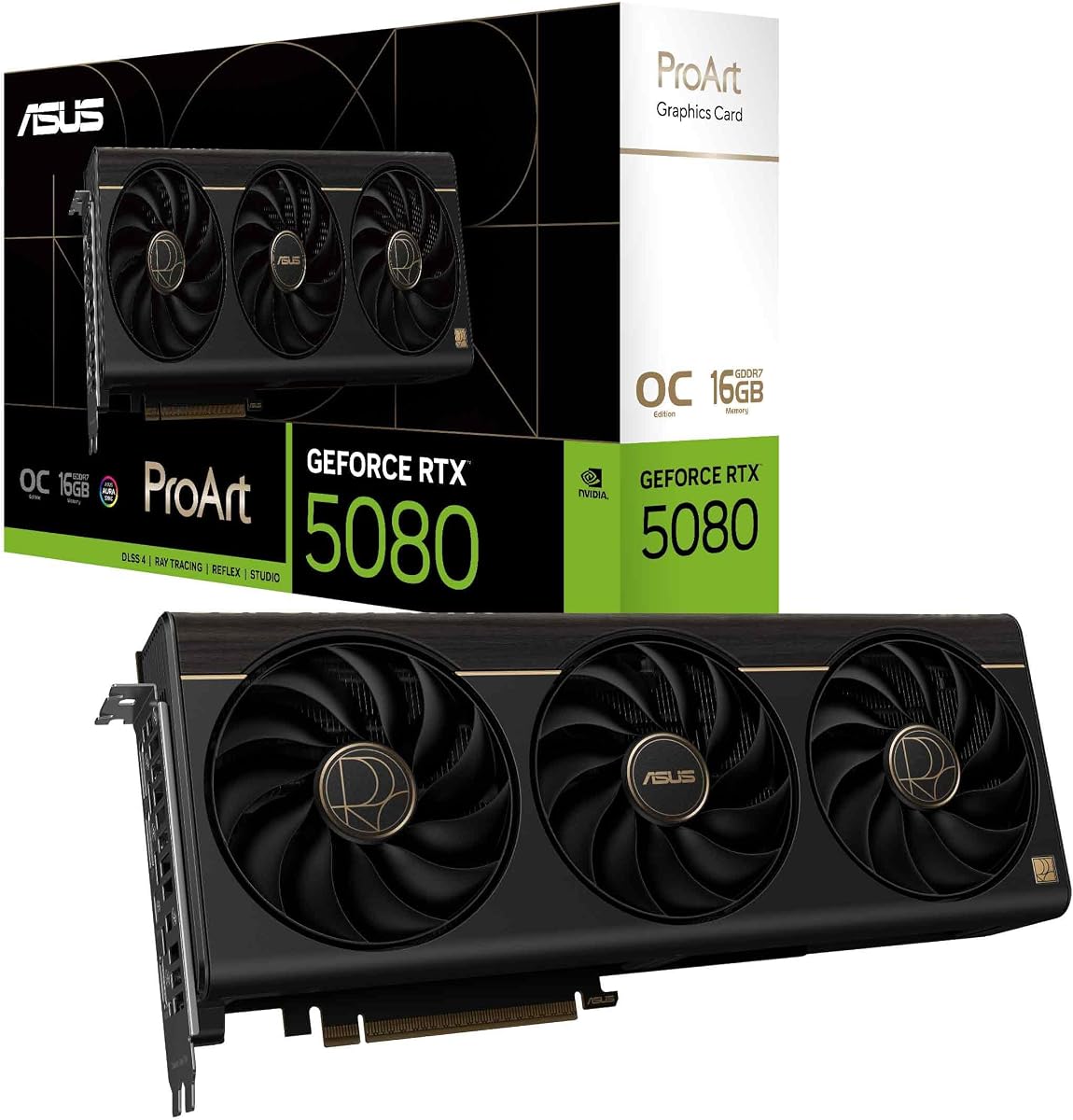
The ASUS ProArt GeForce RTX 5080 stands out as the top choice for professional editors. It earns a 4.9 rating due to its robust performance in color grading and rendering tasks.
We may earn a commission when you buy through this link, at no additional cost to you.
Powered by the NVIDIA Blackwell architecture, it delivers exceptional AI performance with 1858 TOPS. The 16GB GDDR7 memory ensures smooth handling of high-resolution timelines without stuttering.
While the cost is higher than consumer cards, the inclusion of a USB Type-C port enhances workflow versatility. The thermal design keeps noise levels low during long editing sessions.
Editors seeking reliability and speed should choose this card. It balances performance and features effectively for demanding Resolve projects involving noise reduction and complex effects.
The integrated USB Type-C port allows direct connection to high-speed storage and capture devices, streamlining the import and export process significantly.
Phase-change thermal pads and a MaxContact heatsink ensure the GPU stays cool under sustained loads, maintaining peak performance during extended grading sessions.
We may earn a commission when you buy through this link, at no additional cost to you.
The ASUS Dual RTX 5060 Ti offers incredible value for budget-conscious editors. With a 4.7 rating, it handles 1080p and 4K editing comfortably without breaking the bank.
We may earn a commission when you buy through this link, at no additional cost to you.
It features 16GB of GDDR7 memory which is crucial for loading large assets and timelines. The Blackwell architecture provides solid AI acceleration for features like Magic Mask.
The compact 2.5-slot design ensures it fits in smaller workstations while maintaining good cooling. Dual BIOS lets you switch between performance and quiet modes as needed.
Freelancers and hobbyists will find this card ideal. It provides the core horsepower needed for most tasks without the premium cost of higher-end models.
Despite being a lower-tier model, the 16GB VRAM allows it to compete with older higher-end cards in memory-dependent scenarios like color grading.
The small form factor makes it easy to upgrade existing PCs without needing a full case overhaul, saving time and money on additional hardware.
We may earn a commission when you buy through this link, at no additional cost to you.
The NVIDIA RTX PRO 6000 is the ultimate tool for enterprise-grade production. Its 4.3 rating reflects specialized features rather than gaming metrics, focusing on reliability.
We may earn a commission when you buy through this link, at no additional cost to you.
With 96GB of DDR7 ECC memory, it can handle massive 8K and VR projects without running out of video RAM. The error-correcting capability prevents corruption during long renders.
It supports up to four 8K displays at 60Hz or 16K at 60Hz, making it perfect for broadcast environments. MIG technology allows splitting the GPU for multiple users or tasks.
Studios handling high-stakes projects should consider this card. The stability and memory headroom justify the cost for critical workflows where downtime is not an option.
The 96GB VRAM allows for incredibly complex node structures and cache-heavy effects that would crash lower-end cards during real-time playback.
MIG allows you to isolate projects securely, ensuring that one heavy render task does not disrupt the work of other artists on the same machine.
We may earn a commission when you buy through this link, at no additional cost to you.
The GIGABYTE GeForce RTX 5080 is a robust option for those who need gaming and editing power. It scores 4.6 for its strong performance in standard creative workflows.
We may earn a commission when you buy through this link, at no additional cost to you.
The WINDFORCE cooling system keeps temperatures low even during sustained loads. This ensures the GPU does not throttle while rendering long sequences in Davinci Resolve.
With 16GB GDDR7, it matches the memory speed of professional cards but often at a lower cost. The PCIe 5.0 interface future-proofs your system for upcoming CPUs.
Gamers who also edit video will appreciate this card. It delivers the raw horsepower needed for effects and rendering without the premium price of workstation branding.
The unique fan design pulls air through the heatsink efficiently, reducing noise and ensuring the card maintains high boost clocks for longer periods.
PCIe 5.0 support means the card is ready for next-generation motherboards that offer double the bandwidth of current standard interfaces.
We may earn a commission when you buy through this link, at no additional cost to you.
The ASUS TUF Gaming RTX 5080 is built to last with military-grade components. It achieves a 4.6 rating by balancing performance with extreme reliability for daily use.
We may earn a commission when you buy through this link, at no additional cost to you.
Phase-change thermal pads help ensure optimal thermal performance compared to traditional pastes. This is crucial for maintaining stability during heavy color grading workflows.
The 3.6-slot design offers massive surface area for heat dissipation. While large, this ensures the card runs cool even in warmer environments or cases with limited airflow.
Users planning to keep their build for years should consider this model. The robust construction and advanced cooling mean fewer issues over time for professional users.
Protective PCB coating guards against moisture and dust, extending the life of the card even in less controlled environments.
The specialized thermal interface materials are designed to outlast standard pastes, reducing the need for reapplication or maintenance over the card's life.
We may earn a commission when you buy through this link, at no additional cost to you.
The ASRock Radeon AI PRO R9700 brings 32GB of VRAM to the professional market. It holds a 4.4 rating for its ability to handle large datasets and rendering tasks.
We may earn a commission when you buy through this link, at no additional cost to you.
With dedicated AI accelerators, it performs well in modern Resolve versions that utilize AMD AI tools. The 32GB memory allows for extensive caching of complex projects.
The blower cooler exhausts heat directly out of the chassis, which is ideal for multi-GPU setups. This keeps the system organized but can be louder than other coolers.
Studios using AMD systems will appreciate this card. It offers significant memory capacity and professional-grade cooling for workstation environments without relying on NVIDIA.
The blower design ensures that heat does not recirculate into the case, allowing multiple cards to operate without overheating in close proximity.
The 256-bit bus paired with GDDR6 provides ample bandwidth for 8K editing, ensuring smooth playback even with heavy effects applied.
We may earn a commission when you buy through this link, at no additional cost to you.
The GIGABYTE Radeon RX 9070 XT is a solid mid-range option for editors on a budget. It earns a 4.7 rating for providing reliable performance without unnecessary cost.
We may earn a commission when you buy through this link, at no additional cost to you.
While it uses GDDR6 instead of GDDR7, the 16GB capacity is still sufficient for 4K workflows. The WINDFORCE cooling system maintains low noise levels during operation.
Support for PCIe 5.0 ensures compatibility with newer systems and future bandwidth upgrades. The RGB lighting can be turned off for a professional look if desired.
Users seeking a balance of cost and capability should look here. It handles standard editing tasks well without the overhead of premium professional features.
At its price point, the card offers a strong feature set that matches older higher-end cards, making it a smart choice for value-focused buyers.
Server-grade thermal conductive gel helps move heat away from the chip quickly, ensuring consistent performance during extended rendering sessions.
We may earn a commission when you buy through this link, at no additional cost to you.
The NVIDIA Titan RTX remains a powerful choice for legacy workflows. With a 4.4 rating, it offers 24GB of memory which is still competitive for modern editing needs.
We may earn a commission when you buy through this link, at no additional cost to you.
Its 577 Tensor Cores provide significant AI acceleration, which is vital for Resolve's neural engine features. The architecture is well-supported by current software updates.
While newer cards are more efficient, the Titan still delivers strong performance for complex node graphs and heavy rendering tasks. It is often available at lower prices now.
Editors looking for a high VRAM option at a lower cost might consider this. It provides robust performance without needing the latest generation hardware or drivers.
The dedicated Tensor cores allow for faster processing of AI tasks like auto-color matching and object tracking in DaVinci Resolve.
The 24GB VRAM ensures you can work with large 4K and 6K timelines without running into memory limitations that cause crashes.
We may earn a commission when you buy through this link, at no additional cost to you.
The PNY NVIDIA Quadro RTX 4000 is designed for professional reliability. It scores 4.4 for its stability in certified applications like DaVinci Resolve.
We may earn a commission when you buy through this link, at no additional cost to you.
It features advanced shading and ray tracing capabilities that are useful for 3D work within Resolve. The compact low-profile design fits into smaller workstation cases.
Professional drivers ensure that the card runs stable during long exports. While it has less memory than newer cards, it is sufficient for HD and 4K editing.
Users prioritizing stability over raw speed will find this card useful. It provides the assurance of professional certification without the bulk of larger cards.
The card is certified by ISVs, ensuring that complex workflows are tested and optimized for maximum stability in professional environments.
Real-time ray tracing allows for accurate lighting previews in 3D work, improving the quality of final renders significantly.
We may earn a commission when you buy through this link, at no additional cost to you.
The ASRock Intel Arc Pro B60 brings Intel into the professional GPU market. It holds a 3.9 rating, reflecting new technology that requires updates for maximum stability.
We may earn a commission when you buy through this link, at no additional cost to you.
With 24GB of memory, it offers plenty of room for complex projects. The hardware AV1 encoder is perfect for future-proofed video export workflows in Resolve.
Its 4x DisplayPort 2.1 outputs allow for extensive multi-monitor setups. This is ideal for editors who need to track multiple timelines or scopes simultaneously.
Early adopters and those wanting high memory on a budget should consider this. It is an interesting alternative for workloads that support Intel's drivers well.
The dedicated AV1 encoder significantly reduces export times for modern codecs, saving time when delivering files to online platforms.
Support for multiple high-resolution screens allows you to organize your workspace effectively, keeping tools and timelines visible at all times.
We may earn a commission when you buy through this link, at no additional cost to you.
Selecting the right GPU involves balancing memory, architecture, and budget to match your specific editing demands.
Video resolution and effects complexity dictate how much VRAM you need. For 1080p, 8GB is often enough, but 4K and 8K timelines typically require 16GB or more.
Prioritize cards with 16GB or higher VRAM to prevent performance bottlenecks when working with high-resolution projects.
Newer memory types like GDDR7 offer significantly higher bandwidth than GDDR6. This bandwidth directly impacts how quickly the GPU can access data during playback.
Look for cards with GDDR7 memory for the best performance in modern 4K and 8K workflows.
NVIDIA and AMD architectures differ in how they handle AI and rendering tasks. Resolve has historically favored NVIDIA CUDA cores for certain features, but AMD support is growing.
Check Resolve system requirements to ensure the architecture supports your specific plugins and effects.
Modern editing relies heavily on AI for features like Magic Mask and speech-to-text. Tensor cores or AI accelerators are essential for fast processing of these tasks.
Choose a GPU with dedicated AI hardware to speed up noise reduction and masking tasks.
High-end GPUs consume significant power and require robust cooling systems. Ensure your power supply has enough wattage and connectors to support the new hardware.
Verify your PSU capacity before purchasing to avoid instability during heavy workloads.
Professional workstations often use smaller cases with limited space. Check the physical dimensions of the card to ensure it fits in your chassis.
Select a card with the correct length and slot count for your existing setup.
Professional cards often offer stable drivers optimized for creative applications. Consumer cards work well but may lack specific optimizations for color grading.
Look for cards with good driver reputations to ensure long-term stability in your workflow.
Prices vary widely based on performance and brand. Decide on a budget that allows for the necessary specs without overspending on features you do not need.
Balance your budget against your specific editing needs to find the most cost-effective solution.
Install the GPU carefully and ensure the power cables are securely connected. Update to the latest drivers before launching Davinci Resolve to maximize compatibility and performance.
Configure the software to utilize the GPU for rendering and decoding. Check the System tab in Preferences to confirm the correct GPU is selected for OpenCL or CUDA.
Maintain the system by keeping fans clean and free of dust. Regular cleaning helps prevent overheating and extends the lifespan of your expensive hardware components.
VRAM stores frame buffers and effects data. If you exceed the available VRAM, the system resorts to system RAM, which is much slower and can cause stuttering.
Yes, AMD GPUs are supported and work well for many tasks. However, NVIDIA cards often have better optimization for specific AI features like Magic Mask.
Not necessarily. Consumer gaming cards often provide better value and performance for standard editing. Professional cards offer stability for enterprise environments.
At least 12GB is recommended for smooth 4K editing, but 16GB or more is safer for complex timelines with multiple effects and noise reduction.
Yes, PCIe 5.0 offers double the bandwidth of PCIe 4.0. This helps reduce bottlenecks when transferring large data sets between CPU and GPU memory.
It depends on your workload. If you edit daily or handle 8K footage, the extra speed and memory justify the cost.
The ASUS ProArt RTX 5080 leads the list with its perfect balance of speed and features. It offers the reliability professionals need for complex editing tasks.
For those on a budget, the ASUS Dual RTX 5060 Ti proves you do not need to spend a fortune for solid performance. It handles 4K workflows with ease.
Prices change often, so verify current listings before purchasing. Select the card that best matches your resolution needs and workflow complexity for the best value.