
Lenovo 15.6" IdeaPad Laptop
4.0Editor score
AMD Athlon Silver 7120U
External DVD Player Included
Full-Size Numeric Keyboard
Finding a laptop with a DVD drive can be challenging in today’s market where optical drives are increasingly rare. However, for professionals, students, and legacy system users, having access to physical media remains essential for software installation, data recovery, and media playback.
We have carefully evaluated ten distinct models that offer optical drive functionality through either built-in slots or included external drives. Our comparison focuses on performance, display quality, connectivity, and overall value to ensure you find a machine that meets your specific workflow requirements.
Each selection below highlights key specifications, pros, and cons to help you make an informed decision. Please note that product availability and pricing can fluctuate frequently, so checking the latest details before purchasing is always recommended for the best experience.
4.0Editor score

4.5Editor score

4.1Editor score
As an Amazon Associate we earn from qualifying purchases.
The following table provides a side-by-side comparison of all ten laptops reviewed in this guide, highlighting their core specifications and key features to help you quickly identify the right model for your needs.

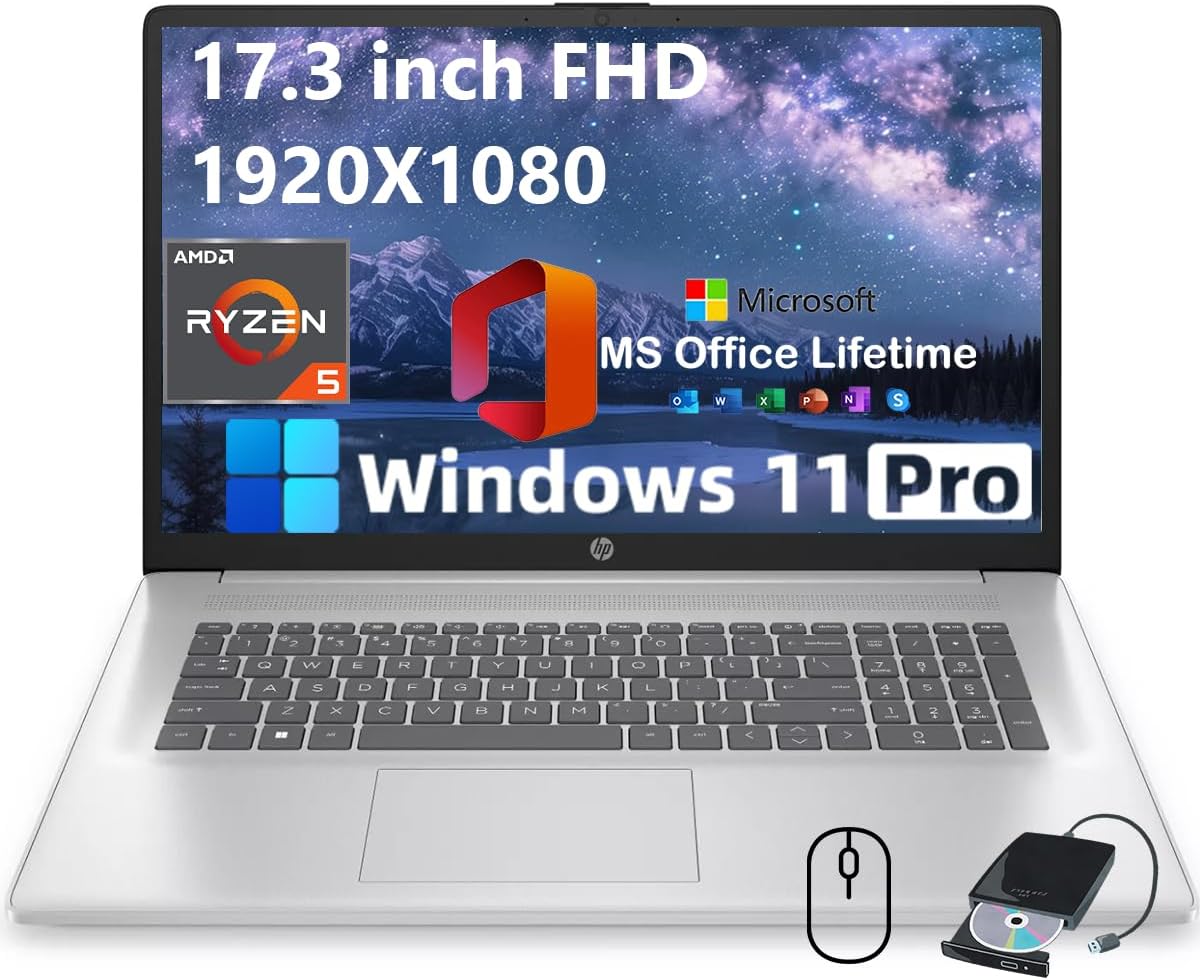



The HP 17.3" Business Laptop Computer stands out as a top contender for users needing optical media access without sacrificing modern performance. With a strong rating, this model delivers smooth operation for business tasks, content creation, and multimedia streaming through its robust hardware configuration.
We may earn a commission when you buy through this link, at no additional cost to you.
Equipped with the AMD Ryzen 5 7430U processor featuring six cores and twelve threads, this laptop handles multitasking efficiently. The 16GB of RAM ensures applications run without lag, while the 512GB SSD provides ample fast storage for files and operating system responsiveness. The large 17.3-inch Full HD IPS display offers vibrant visuals ideal for presentations and extended viewing sessions.
Although the external CD/DVD drive is not built-in, it is included in the bundle, ensuring you can still access physical media when necessary. The inclusion of a lifetime Microsoft Office Pro license adds significant value, making this a complete solution for professionals and students alike. Ports like USB-C, HDMI, and Wi-Fi 6 keep you connected to modern peripherals and networks.
This laptop is best suited for mobile professionals, small business owners, or students who require reliable performance and occasional disc access. Its combination of power, screen size, and included software makes it a versatile choice that justifies its position as our editor's choice for the best laptop with a DVD drive.
The Ryzen 5 7430U processor ensures smooth performance for demanding workloads and everyday tasks alike.
Lifetime Microsoft Office Pro pre-installation saves cost and time for immediate productivity upon setup.
We may earn a commission when you buy through this link, at no additional cost to you.
For users seeking an affordable entry into the world of laptops with optical drive capabilities, the Lenovo 15.6" IdeaPad Laptop offers a compelling package. Its solid rating reflects reliable performance for home, school, and basic business tasks without breaking the bank.
We may earn a commission when you buy through this link, at no additional cost to you.
This model is powered by the AMD Athlon Silver 7120U processor, which provides decent speed for web browsing, document editing, and media consumption. While it comes with 4GB of DDR5 RAM, which may limit heavy multitasking, the included external DVD player ensures you can still utilize physical media. The 128GB internal SSD is paired with a 500GB external storage drive in the bundle, providing ample space for files and backups.
The 15.6-inch HD display with anti-glare coating reduces eye strain during long work sessions, making it comfortable for extended use. A full-size keyboard with a dedicated numeric keypad enhances typing efficiency for data entry and spreadsheet work. Connectivity is well-covered with USB-C, HDMI, and an SD card reader, ensuring compatibility with various peripherals.
This laptop is ideal for students, home users, or small business owners who need a reliable machine for everyday tasks and occasional disc usage. Its budget-friendly pricing combined with essential features like Wi-Fi 6 and an external DVD drive makes it the best budget option on our list.
Includes external storage drive to expand capacity beyond the internal SSD limit.
Full-size keyboard with numeric keypad improves productivity for data-heavy tasks.
We may earn a commission when you buy through this link, at no additional cost to you.
The HP 17.3" FHD Laptop delivers solid performance for business and student users who need optical media access alongside modern computing power. Its configuration focuses on efficiency and versatility, making it suitable for a wide range of professional and academic tasks.
We may earn a commission when you buy through this link, at no additional cost to you.
At its core lies the AMD Ryzen 5 7430U processor with six cores, ensuring smooth multitasking and quick response times for applications. The 16GB of RAM and 512GB SSD provide a balanced setup for running multiple programs and storing substantial data. The 17.3-inch Full HD IPS display offers vibrant visuals and a wide viewing angle, ideal for presentations and media consumption.
Security and privacy are prioritized with a built-in HD webcam featuring a physical privacy shutter, giving you control over your video feeds. Windows 11 Pro is pre-installed, offering advanced security features like BitLocker encryption and better management tools for professional environments. Connectivity options include Wi-Fi 6 and Bluetooth 5.3 for fast wireless performance.
This laptop is recommended for professionals and students who require a reliable machine for everyday computing and occasional disc-based media or software installation. The inclusion of an external CD/DVD drive ensures you are prepared for legacy formats without compromising on system speed or display quality.
Physical webcam shutter provides physical security control for video conferencing and meetings.
Windows 11 Pro delivers advanced tools and security tailored for business and academic needs.
We may earn a commission when you buy through this link, at no additional cost to you.
The HP 17.3" Laptop Computer sets a high standard for performance and storage capacity in the laptop with DVD drive category. With a strong rating, this model appeals to power users and professionals who demand extensive multitasking capabilities and large file storage.
We may earn a commission when you buy through this link, at no additional cost to you.
Powered by the Intel Core i3-N305 processor with eight cores, this laptop delivers smooth performance for school, business, and everyday computing tasks. The standout feature is the generous 32GB of RAM, which allows for running numerous applications simultaneously without slowdown. Combined with a 1TB SSD, you get ample space for operating system files, applications, and media libraries.
Windows 11 Pro is pre-installed, providing access to professional features like Hyper-V virtualization and Group Policy Management. Microsoft Office is included with a lifetime license, enhancing productivity right out of the box. While the optical drive is external, the robust internal hardware ensures that media access does not bottleneck overall system performance.
This laptop is best suited for users who need significant memory and storage for complex workloads, such as data analysis, virtualization, or large media projects. The premium specs justify its position as a top choice for those who prioritize performance and storage over compact design.
32GB RAM allows for seamless multitasking across heavy applications and large datasets.
Windows 11 Pro includes advanced security and management tools for business environments.
We may earn a commission when you buy through this link, at no additional cost to you.
The HP 17.3" FHD Laptop for Business & Students provides a reliable platform for professionals who require optical drive access alongside robust productivity features. Its design emphasizes stability and security, making it a suitable choice for corporate environments.
We may earn a commission when you buy through this link, at no additional cost to you.
Under the hood, the AMD Ryzen 5 7430U processor delivers efficient performance for multitasking and daily workloads. The 16GB of RAM and 512GB SSD offer a balanced combination for speed and storage capacity. The 17.3-inch IPS display with anti-glare coating ensures clear visibility in various lighting conditions, which is crucial for long work hours.
Included with the laptop is a lifetime Microsoft Office license, ensuring you have the necessary tools for documentation and presentations immediately. The external DVD drive allows for installation of legacy software or media playback when needed. Ports include USB-A, USB-C, HDMI, and a headphone/mic jack, covering most common connectivity needs.
This machine is ideal for business users who need a dependable laptop for general computing and occasional physical media tasks. Its emphasis on security features and professional operating system support makes it a practical choice for enterprise or small business scenarios.
Sleek form factor with numeric keypad supports efficient data entry and document work.
HP's legacy in business computing ensures durable build quality and customer support.
We may earn a commission when you buy through this link, at no additional cost to you.
The HP 17 Laptop Computer for Business Students delivers a balanced experience for users needing optical media capabilities alongside modern performance. With a solid rating, this model serves well for educational and professional applications requiring reliable hardware.
We may earn a commission when you buy through this link, at no additional cost to you.
Featuring the AMD Ryzen 5 7430U processor, this laptop offers smooth visuals for business presentations and graphic design tasks. The 16GB of RAM ensures that multiple applications can run concurrently without significant slowdown, while the 512GB SSD provides fast boot times and file access. The 17.3-inch Full HD display offers vibrant visuals and a comfortable screen size for extended work sessions.
Pre-installed software includes a lifetime Microsoft Office license and Windows 11 Pro, providing enhanced productivity and security features right out of the box. The included external optical CD/DVD drive allows you to access physical media when required. Ports such as USB-C, HDMI, and USB Type-A ensure compatibility with most peripherals and monitors.
This laptop is recommended for students and professionals who need a versatile machine for daily computing and occasional disc-based workflows. Its combination of powerful hardware and essential software makes it a practical investment for a wide range of tasks.
Windows 11 Pro includes BitLocker and other security features to protect your data.
Wi-Fi 6 ensures fast and reliable internet connections for remote work and streaming.
We may earn a commission when you buy through this link, at no additional cost to you.
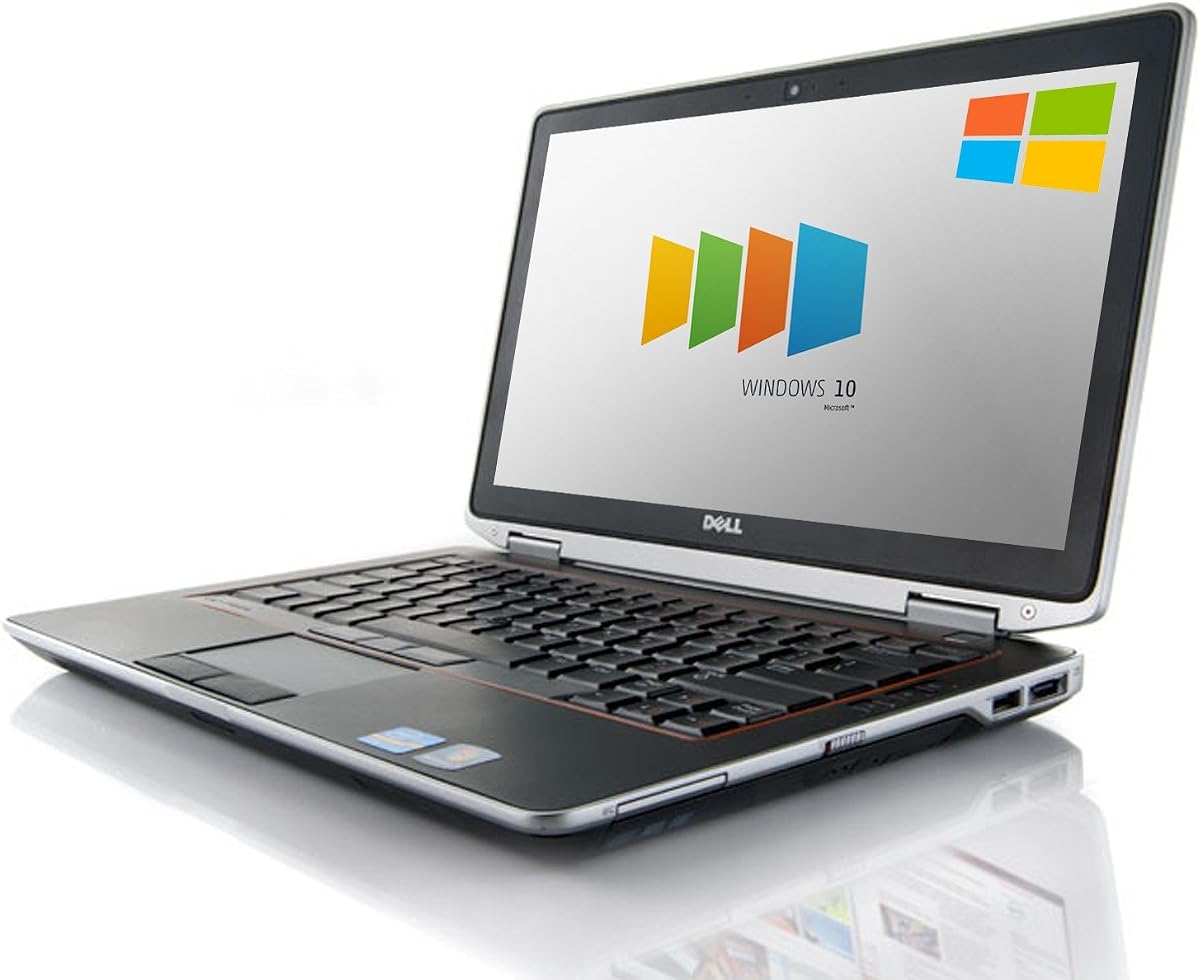
The Dell Latitude E6530 is a refurbished business laptop that offers a built-in DVD drive, making it a practical choice for legacy system needs. With a decent rating, it provides reliable performance for standard business tasks at a budget-friendly price point.
We may earn a commission when you buy through this link, at no additional cost to you.
Equipped with an Intel Core i7-3520M processor capable of speeds up to 3.6 GHz, this machine handles multitasking and general productivity tasks efficiently. The 8GB of RAM and 240GB SSD offer sufficient speed and storage for typical office applications and files. Crucially, it includes a built-in DVD drive, eliminating the need for external peripherals.
This unit ships with Windows 10 Pro, which still receives support but may be updated to Windows 11 depending on hardware compatibility. It also includes multi-language support for English and Spanish, catering to diverse user needs. Connectivity options are robust, featuring USB 3.0, VGA, and HDMI ports for versatile peripheral and monitor support.
This laptop is ideal for users who specifically need a built-in optical drive without the cost of a new premium machine. Its refurbishment process ensures it looks and works like new, making it a cost-effective solution for specific industrial or educational applications.
Built-in DVD drive supports legacy software and media without requiring external hardware.
Certified refurbished process ensures functionality at a fraction of the price of new models.
We may earn a commission when you buy through this link, at no additional cost to you.
The DELL Latitude D531 is an older model that still finds utility in specific environments where basic computing and optical media access are required. Its simple hardware configuration focuses on reliability for lightweight tasks without modern complexity.
We may earn a commission when you buy through this link, at no additional cost to you.
Powered by an AMD Turion X2 TL-56 dual-core processor, this laptop manages basic web browsing and document editing adequately. The 2GB of RAM and 80GB hard drive are limited by today's standards but sufficient for offline storage and simple applications. Importantly, it includes a built-in DVD/CDRW optical drive for reading and writing discs.
Windows Vista Business is pre-installed, which may require upgrades for modern security and application compatibility. The built-in wireless adapter allows for internet connectivity without dongles. Its compact and lightweight design makes it easy to carry for users who do not need high performance.
This machine is best suited for specialized industrial use, basic kiosks, or collectors who need a functioning optical drive without modern overhead. While not suitable for heavy workloads, it provides essential functionality for specific legacy requirements.
Built-in optical drive remains functional for reading old media formats in archival settings.
Lightweight design allows for easy transport in environments where modern laptops are too bulky.
We may earn a commission when you buy through this link, at no additional cost to you.
The Dell 2019 Latitude E6520 offers a practical solution for users needing optical media support in a refurbished business laptop. With a solid rating, it provides reliable performance for basic computing tasks and legacy software execution.
We may earn a commission when you buy through this link, at no additional cost to you.
This model features an Intel Core i7 2620M processor capable of reaching up to 3.4 GHz, which handles general productivity work well. The 8GB of DDR3 RAM and 500GB hard drive provide a balanced setup for storage and multitasking on older applications. A built-in DVD drive is included for physical media access without external attachments.
Windows 10 Professional is pre-installed, offering a more modern user interface and security features compared to older OS versions. Multi-language support for English, Spanish, and French makes it accessible to diverse user bases. Ports include VGA and HDMI, ensuring compatibility with older projectors and monitors commonly found in office settings.
This laptop is ideal for educational institutions or small businesses looking for cost-effective machines that still support optical media workflows. The refurbishment process ensures the device is inspected and tested for reliable functionality.
Latitude series build quality ensures longevity in demanding daily usage environments.
Built-in DVD drive allows access to physical software installations and media archives.
We may earn a commission when you buy through this link, at no additional cost to you.
The Lenovo 2019 IdeaPad is a compact and affordable laptop that includes a built-in optical drive for basic computing needs. With a strong rating, it offers good value for users requiring physical media access without modern premium specifications.
We may earn a commission when you buy through this link, at no additional cost to you.
Equipped with an AMD A9-9425 dual-core processor, this machine manages daily tasks like web browsing and office work efficiently. The 4GB of RAM and 128GB SSD provide fast boot times and enough space for essential applications and documents. The built-in DVD+/-RW drive allows for reading and writing discs when necessary.
Windows 10 Home is included, providing a familiar user interface and support for most applications. Connectivity includes HDMI for external monitors and Bluetooth for wireless peripherals. Its lightweight design makes it suitable for students or home users who prioritize portability and cost.
This laptop is recommended for entry-level users who need a straightforward machine for home use and occasional optical media tasks. Its combination of SSD speed and optical drive inclusion makes it a practical choice for budget-conscious buyers.
Solid state drive ensures quick startup and responsive file access even on entry-level specs.
Affordable price point with essential optical drive support for basic productivity needs.
We may earn a commission when you buy through this link, at no additional cost to you.
Choosing the right laptop with a DVD drive involves balancing modern performance with legacy media support. This guide covers the key factors to consider to ensure you find a model that fits your specific workflow.
Decide whether you need a built-in optical drive or an external one. Built-in drives offer convenience but are rare on modern slim laptops. External drives are more portable but require an extra USB port and travel.
Look for laptops that explicitly include external drives in the bundle if you cannot find built-in options.
Ensure the processor meets your daily task requirements. Modern AMD Ryzen or Intel Core processors handle multitasking smoothly. Avoid older dual-core models if you plan to run demanding applications.
Prioritize processors with multiple cores for better long-term reliability and speed.
Aim for at least 8GB of RAM for comfortable multitasking. Storage should ideally be an SSD for faster boot times and file access. Consider models with upgradeable RAM if you anticipate future needs.
Check if the laptop allows RAM upgrades to extend its usable lifespan over time.
A larger screen helps with productivity and media viewing. Look for Full HD resolution and anti-glare coatings to reduce eye strain. IPS panels offer better color accuracy and viewing angles.
Ensure the screen size fits your workspace and mobility requirements.
Verify the operating system version and update status. Windows 11 Pro is ideal for professional security features. Ensure the system receives regular security patches to protect your data.
Avoid models that no longer receive OS updates to maintain security compliance.
Check for essential ports like USB-C, HDMI, and USB-A. Wi-Fi 6 support ensures fast internet speeds for remote work. Additional ports like SD card readers or VGA may be necessary for specific peripherals.
Make sure the available ports match your current and future peripheral needs.
Refurbished laptops can offer great value but require careful selection. Look for certified refurbishers with warranties. Business-grade models like Dell Latitude are known for robust chassis and longevity.
Inspect the physical condition and warranty terms before purchasing refurbished units.
Many models include lifetime Microsoft Office licenses which add significant value. Check if the bundle includes necessary software to save on subscription costs. Ensure activation keys are valid upon purchase.
Prioritize deals that include software you would otherwise have to buy separately.
To get the most out of your laptop with a DVD drive, keep the drive clean by using compressed air to remove dust from the tray. Always eject discs gently to avoid mechanical stress on the loading mechanism.
Regularly update your Windows drivers to ensure smooth optical drive performance. If using an external drive, plug it directly into the laptop’s USB port rather than a hub to prevent power issues.
Avoid exposing the laptop to extreme temperatures or moisture, which can damage both the internal hardware and the optical mechanism. Use a protective case when traveling to prevent physical shocks to the drive components.
Yes, most laptops with USB ports can support an external DVD drive. You simply plug it in and install any required drivers. Modern Windows systems usually recognize them automatically for plug-and-play use.
If you need to access physical media regularly, a built-in drive is convenient but increasingly rare. Most users find external drives sufficient, but some business scenarios still require internal slots for legacy software.
Manufacturers prioritize thinner designs and lighter weights, which make large internal drives impractical. Cloud storage and streaming services have also reduced the need for physical media in daily workflows.
For general business tasks, 8GB to 16GB of RAM is recommended. More demanding workloads like virtualization or heavy multitasking may benefit from 32GB or more to ensure smooth performance.
Certified refurbished laptops are tested and often come with warranties, making them reliable for many users. Always check the seller's performance standards and warranty duration before purchasing.
Insert the DVD into your drive and open File Explorer to run the setup executable. Follow the installation wizard steps. If drivers are needed, download them from the manufacturer’s website first.
Look for a drive with USB 3.0 support for fast data transfer and compatibility with both Windows and macOS. A slim and portable design is ideal for business travelers and mobile users.
Most of these laptops are designed for business and light multimedia tasks. While they can run older games or those with DVD installers, heavy gaming may require a dedicated gaming laptop with stronger graphics.
We have reviewed ten top options ranging from modern HP business laptops to reliable refurbished Dell and Lenovo models. Each offers unique features to meet different needs regarding performance, budget, and optical media support.
Prioritize the processor speed and RAM size based on your daily workflow. If you need to manage large files or run multiple applications, opt for models with higher specifications. Otherwise, budget-friendly refurbished options may suffice.
Remember that availability and details can change frequently. Always verify current specs and confirm any included external drives before finalizing your purchase to ensure you get the right tool for your needs.