
NETGEAR Nighthawk RS90
4.3Editor score
WiFi 7 Support
2000 Sq Ft Range
Easy App Setup
This comprehensive guide compares the top ten long range WiFi routers for 2026, evaluating coverage, speed, and features to help you choose the perfect home
Finding a reliable long range WiFi router is essential for modern homes where connectivity must extend to every corner without interruption. Whether you are streaming high definition content or working from a home office, a powerful router ensures consistent performance across all your devices.
We have carefully evaluated the latest models available on the market, focusing on coverage area, signal strength, and advanced networking features. Our selection includes top picks from leading brands known for reliability, security, and user-friendly management interfaces.
Each pick highlights key strengths and ideal use cases to help you make an informed decision. Please note that availability and specific offerings may change over time, so always verify current details before purchasing.
4.3Editor score

4.3Editor score
4.2Editor score
This side by side comparison highlights the core specifications of each router to help you identify the model that best fits your home size and internet needs.






The TP-Link BE6500 stands out as a top choice for those seeking future-proof connectivity with its WiFi 7 technology. It delivers robust performance suitable for modern homes filled with connected devices.
We may earn a commission when you buy through this link, at no additional cost to you.
Key strengths include Multi-Link Operation which significantly reduces latency and improves reliability across frequency bands. The inclusion of multiple 2.5G ports ensures your wired connections are not a bottleneck for high-speed internet plans.
One trade-off is that to fully utilize the speed advantages you may need compatible client devices like the latest laptops or smartphones. However, backward compatibility ensures it works seamlessly with older WiFi standards.
This router is ideal for tech enthusiasts and large homes needing reliable coverage up to 2400 square feet. It represents a solid investment for those planning to upgrade their network infrastructure soon.
Supports the latest WiFi 7 standard with features like 4K-QAM for faster data throughput.
High performance antennas and Beamforming technology ensure strong signals reach every room.
We may earn a commission when you buy through this link, at no additional cost to you.
The NETGEAR Nighthawk RS90 offers an accessible entry point into WiFi 7 technology without breaking the bank. It is designed to handle the demands of a busy household efficiently.
We may earn a commission when you buy through this link, at no additional cost to you.
It provides excellent value with reliable coverage up to 2000 square feet and support for up to 50 devices. The Nighthawk app makes management intuitive allowing you to pause devices or run speed tests easily.
While it lacks some premium features like extensive antenna arrays found in higher-end models it covers most typical home layouts effectively. Security features are robust but ongoing protection might require a subscription.
This model is perfect for budget-conscious buyers who still want next-gen performance. It balances cost and capability well for families needing strong WiFi for streaming and gaming.
Guided setup and network controls are easily accessible through the free mobile app.
Includes a 2.5 Gig WAN port to support faster internet plans from your provider.
We may earn a commission when you buy through this link, at no additional cost to you.
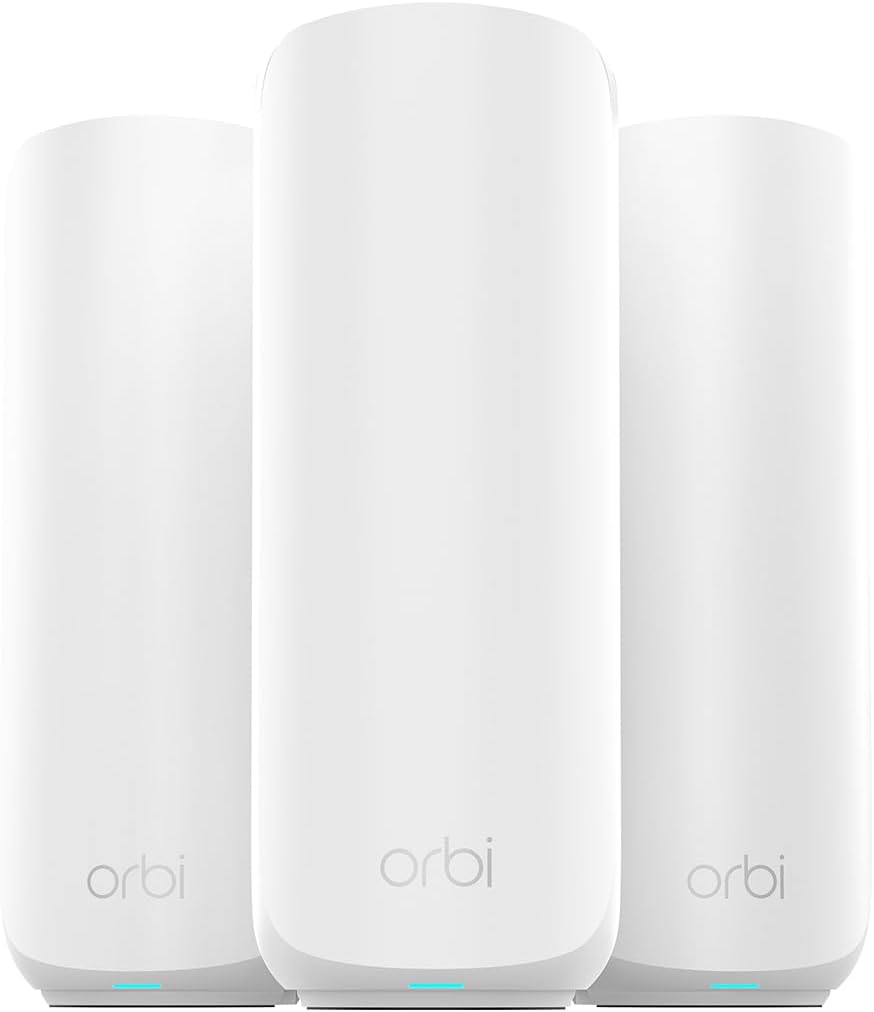
The NETGEAR Orbi 370 Series delivers premium performance with a tri-pack mesh system designed for large properties. It ensures consistent connectivity across up to 6000 square feet of living space.
We may earn a commission when you buy through this link, at no additional cost to you.
Its standout feature is the integration of WiFi 7 technology into a mesh format offering high speeds and low latency throughout the home. Enhanced backhaul keeps communication between units fast and reliable.
The main trade-off is the higher price point compared to standalone routers but the coverage justifies it for large homes. Setup is straightforward via the Orbi app though aligning satellites requires some planning.
Ideal for users with sprawling homes or multi-story buildings this system eliminates dead zones effectively. It is a top choice for those prioritizing complete coverage and future-proof speeds.
Satellites create a seamless network reaching from the front door to the backyard.
Supports up to 70 devices on one network without slowdowns.
We may earn a commission when you buy through this link, at no additional cost to you.
The TP-Link AXE5400 brings the benefits of the 6 GHz band to your home network making it a great choice for performance seekers. It was recognized as a PCMag Editors' Choice for its reliability.
We may earn a commission when you buy through this link, at no additional cost to you.
Its tri-band design ensures that devices using the 6 GHz band are free from congestion caused by older devices on 2.4 GHz or 5 GHz. The 1 GHz dual-core CPU and 512 MB RAM support efficient multitasking.
While it does not have 2.5G ports its Gigabit ports are sufficient for most standard internet plans. The 6 GHz band requires compatible devices but future-proofs the connection well.
This router is recommended for gamers and streamers needing low latency and stable connections. It offers a solid balance of speed and range for medium to large homes.
Provides more bandwidth and near-zero latency for responsive gaming and video chats.
OFDMA technology increases capacity by 4 times to handle more devices simultaneously.
We may earn a commission when you buy through this link, at no additional cost to you.
The TP-Link AX5400 is a reliable WiFi 6 router that delivers strong performance for typical home needs. It covers up to 2000 square feet efficiently ensuring smooth streaming and browsing.
We may earn a commission when you buy through this link, at no additional cost to you.
Features like 4T4R and HE160 on the 5 GHz band provide ultra-fast connections up to 4.8 Gbps. The USB 3.0 port allows for easy media sharing and private cloud storage without extra hardware.
Its high user rating reflects consistent performance and ease of use. The lack of a 2.5G port means it may not suit multi-gig internet plans but it handles most standard connections well.
This model is a great choice for families needing a balance of speed and coverage. It is especially useful if you want to connect external storage drives to your network.
USB 3.0 port enables easy file sharing and private cloud storage access.
Improved vented areas help keep the router cool for long-term reliability.
We may earn a commission when you buy through this link, at no additional cost to you.
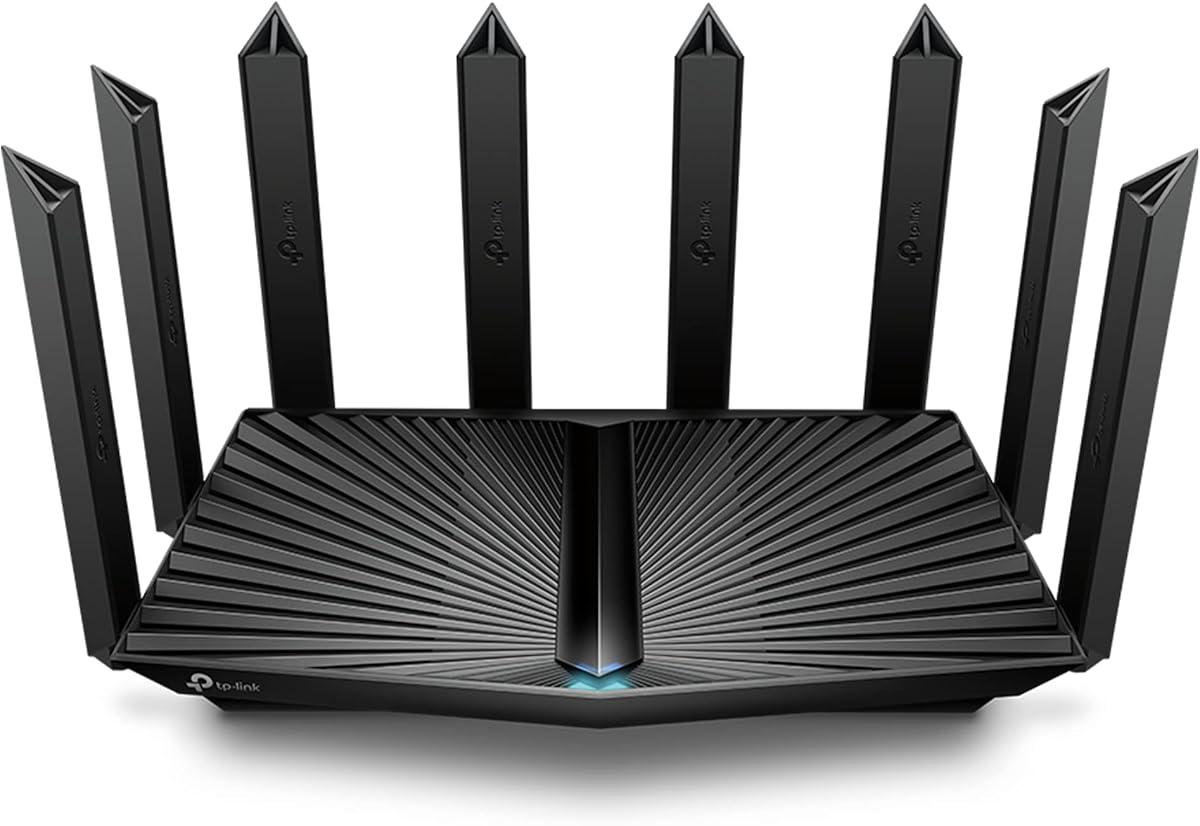
The TP-Link AX6000 is designed for high-performance needs with its powerful dual-band setup. It reaches further thanks to eight high-gain antennas equipped with Beamforming technology for vast coverage.
We may earn a commission when you buy through this link, at no additional cost to you.
Its 2.5G Multi-Gigabit port ensures wired connections keep up with fast internet plans. MU-MIMO and OFDMA technology work together to boost efficiency and reduce latency for multiple connected devices.
The main consideration is its size which might be noticeable on a small desk. However the performance and extensibility via OneMesh make it worthwhile for larger setups.
This router is best suited for power users who need high speeds and extensive wired options. It handles heavy traffic well and supports flexible network expansion easily.
Allows devices to access remote VPN servers without installing software on each.
Compatible with Alexa for convenient voice commands to manage guest networks.
We may earn a commission when you buy through this link, at no additional cost to you.
The NETGEAR Nighthawk WiFi 7 Router offers exceptional speed with its tri-band design delivering up to 9.3 Gbps. It is built to handle the most demanding home networks and future growth.
We may earn a commission when you buy through this link, at no additional cost to you.
Key strengths include dedicated lanes for devices on the 6 GHz band preventing slowdowns from heavy usage. The presence of multiple 2.5G ports ensures that wired devices can utilize full multi-gigabit speeds.
While it is on the pricier side the performance justifies the cost for power users. Setup is straightforward via the Nighthawk app but advanced settings might require some familiarity.
This router is ideal for households with many smart devices and heavy streaming or gaming needs. It provides robust coverage and future-ready speeds for a connected lifestyle.
Three bands provide dedicated bandwidth for demanding devices and simultaneous usage.
Two 2.5G LAN ports allow high-speed connections for gaming rigs and NAS.
We may earn a commission when you buy through this link, at no additional cost to you.
The TP-Link Deco X55 offers a reliable mesh solution that covers up to 6500 square feet. It is designed to eliminate dead zones with high-performance WiFi 6 across your home.
We may earn a commission when you buy through this link, at no additional cost to you.
Each unit has three Gigabit ports supporting wired backhaul for better speeds when placed near other units. AI-driven mesh technology learns your environment to optimize connections automatically.
Compared to high-end models it lacks the latest WiFi 7 standards but provides solid performance for most users. The security features like HomeShield ensure your network stays protected from threats.
This system is perfect for larger homes needing extensive coverage without complex configuration. It is a versatile choice for families valuing reliability and ease of use.
Intelligently learns the network environment to provide ideal WiFi unique to your home.
Supports wired Ethernet backhaul for better speeds and lower latency.
We may earn a commission when you buy through this link, at no additional cost to you.
The TP-Link BE9300 delivers top-tier speeds with tri-band WiFi 7 capabilities reaching up to 9.3 Gbps. It is built for high-performance users needing ultra-fast downloads and streaming.
We may earn a commission when you buy through this link, at no additional cost to you.
It includes multiple 2.5G ports for peak device performance and future-proofing. A unique feature is the private IoT network option allowing you to isolate smart devices for better security.
Setup involves using the Tether app which offers clear guidance but advanced features might require time to master. The security and flexibility it provides make it worthwhile for tech savvy users.
This router is best for those needing maximum bandwidth and network segmentation. It supports seamless whole-home networks through EasyMesh and handles heavy traffic efficiently.
Set up a separate WiFi network for IoT devices using HomeShield and WPA3.
Equipped with one 2.5G WAN port and four 2.5G LAN ports.
We may earn a commission when you buy through this link, at no additional cost to you.
The TP-Link AC1200 is a reliable basic router that provides solid coverage for smaller homes. It delivers up to 1200 Mbps which is sufficient for standard streaming and browsing.
We may earn a commission when you buy through this link, at no additional cost to you.
Its compact design with four external antennas equipped with Beamforming extends and concentrates signals effectively. Full Gigabit ports ensure wired connections can utilize your full internet plan speed.
While it lacks modern WiFi 6 features it remains a top choice for budget buyers. The high user rating reflects its consistent performance and reliability over time.
This model is ideal for smaller apartments or those needing a simple dependable connection. It is a cost-effective solution for basic networking needs.
Offers reliable performance without the high cost of advanced routers.
Supports OneMesh to form a single Wi-Fi name with a OneMesh Extender.
We may earn a commission when you buy through this link, at no additional cost to you.
Selecting the right router involves considering several key factors to ensure it meets your specific home needs.
Modern routers come with WiFi 5, 6, 6E, or 7 standards. Newer standards offer better speed and lower latency but require compatible devices.
Choose the latest standard supported by your devices to future-proof your network and maximize performance.
Coverage area determines how much space the router can effectively serve. Look for a model that matches or exceeds your home square footage.
Ensure the router specifies coverage close to your home size to avoid dead zones in key areas.
Antennas help direct signals to devices. More antennas often mean better signal direction and improved range.
Look for models with at least four high-gain antennas for reliable long-range coverage.
Consider the number and speed of Ethernet ports especially if you have wired devices like consoles or computers.
Prioritize routers with Gigabit or 2.5G ports to support high-speed internet connections.
Secure routers include WPA3 and parental controls to protect your network. Some offer advanced protection via subscription.
Check if the router includes free security tools or if advanced features require ongoing fees.
If your home is large a mesh system may be better than a single router. Ensure the router supports mesh expansion.
Choose systems that allow adding satellites easily to cover additional space seamlessly.
User-friendly apps simplify installation and management. A simple setup process saves time and frustration.
Look for routers with guided setup apps to configure and manage your network easily.
A strong CPU and adequate RAM ensure the router handles multiple devices without lag.
Select models with high-speed memory and dual-core processors for smooth multitasking.
Place your router in a central elevated position away from walls and obstructions to maximize signal range. Avoid placing it near metal objects or large appliances that cause interference.
Keep the firmware updated through the manufacturer app to ensure you have the latest security patches and performance improvements. Regular updates help maintain stability and protect against threats.
Periodically restart your router to clear temporary caches and refresh the connection. This simple habit can improve performance and resolve minor connectivity issues.
WiFi 7 is the latest standard offering faster speeds and lower latency than WiFi 6. It supports features like Multi-Link Operation and wider channels for improved performance. Choosing WiFi 7 ensures your network is ready for future devices and high-speed plans.
Modern routers typically support 50 to over 100 devices depending on the model and technology used. High-end models include capacity boosting features like OFDMA to handle multiple connections efficiently. Check device limits before buying for large networks.
Yes most routers require a separate modem to connect to your internet service provider. The router manages the local network while the modem brings the internet signal into your home. Some combos exist but standalone routers offer more flexibility.
These routers work with most major ISPs including cable fiber and DSL providers. You may need to configure settings or use bridge mode depending on your setup. Always verify compatibility with your specific internet plan.
Beamforming directs WiFi signals specifically to connected devices rather than broadcasting equally in all directions. This improves signal strength and reduces interference for better performance. It is a standard feature in most modern long range routers.
Choose a single router if your home is under 2000 square feet. Mesh systems are better for larger homes needing seamless coverage across multiple floors. Mesh systems reduce dead zones by using multiple nodes.
You can extend range using mesh satellites or range extenders compatible with your router. Placing the router centrally and reducing physical barriers also helps. Some routers support wired backhaul for faster extended coverage.
Newer routers include advanced security features like WPA3 encryption and network protection tools. Keep your firmware updated to patch vulnerabilities. Using strong passwords and enabling network protection adds an extra safety layer.
We have highlighted top models offering strong performance and coverage for varying home needs. Whether you prefer budget-friendly or premium options there is a suitable choice for every setup.
Prioritize models with latest standards and solid antenna setups to ensure long-term reliability. Consider your home size and device count to match the right router.
Prices and availability change so review current listings before making your purchase. Verify specs match your internet plan for the best experience.