
OBDLink EX FORScan OBD Adapter
4.7Editor score
Dealership level diagnostics
Maximum throughput speed
Rock solid connection
Discover the top Forscan USB OBD2 Adapter options for Ford and Mazda vehicles. This guide compares ten reliable adapters for diagnostics and programming.
Choosing the right Forscan USB OBD2 Adapter is essential for vehicle owners who want detailed diagnostic access. These tools bridge the gap between your car and powerful software, allowing you to read codes and modify settings easily.
We evaluated ten leading adapters based on reliability, speed, and compatibility with the FORScan ecosystem. Our selection process focuses on real-world performance during extended diagnostic sessions and ECU programming tasks.
Each pick highlights unique strengths like automatic CAN switching or budget-friendly pricing. Remember that model availability and specific features can shift over time so always verify current details before purchasing.
4.7Editor score

4.7Editor score

4.4Editor score
The following table provides a side-by-side look at the top ten Forscan USB OBD2 adapters available on the market. Compare their key specifications and features to find the right tool for your needs.




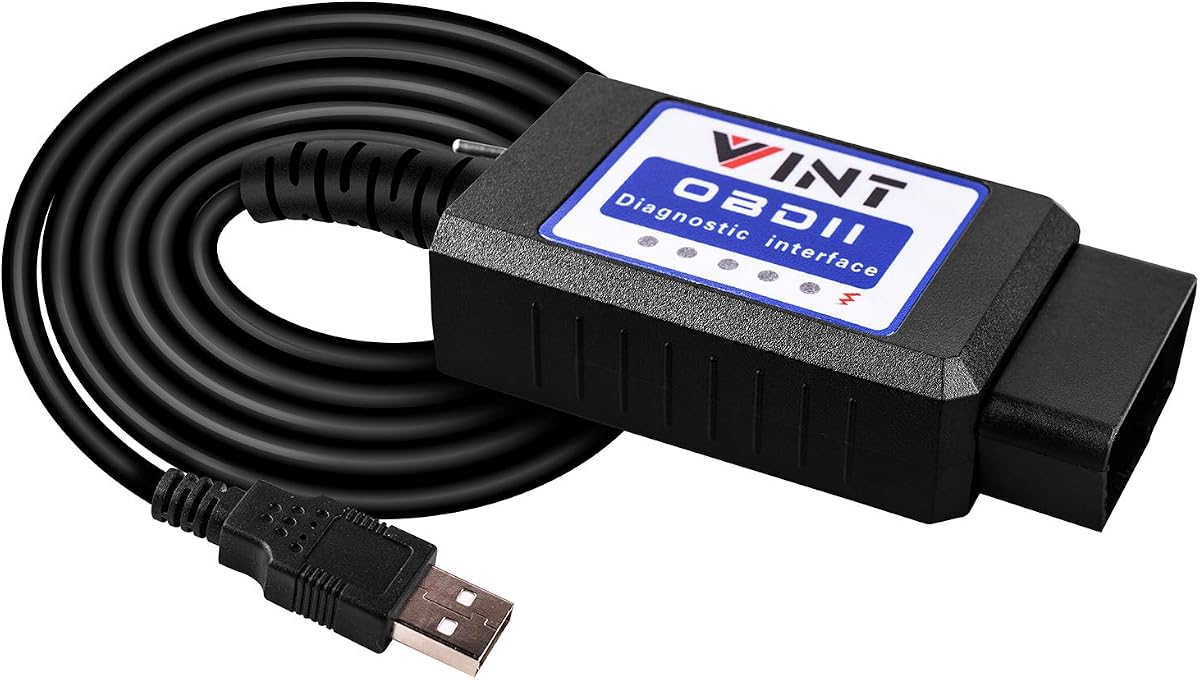
This adapter is widely recognized as a top choice for FORScan users who need reliability. It delivers consistent performance during diagnostic tasks and supports extended programming sessions without crashing. The automatic switching between HS-CAN and MS-CAN buses makes it incredibly easy to use.
We may earn a commission when you buy through this link, at no additional cost to you.
Its connection speed reaches up to 3 Mbps and it handles large packets up to 4095 bytes. This capability ensures complete DTC retrieval and allows for smooth live data streaming. The 18V ECU programming support is essential for older US-market vehicles that require higher voltage.
While it costs more than entry-level cables the stability it offers justifies the investment. You will not experience the dropouts or data corruption common with cheaper generic adapters. This makes it a safer tool for complex programming jobs.
If you are serious about vehicle diagnostics or plan to modify factory settings this adapter is the best pick. It balances price and performance effectively. We highly recommend it for Ford Lincoln and Mazda owners who want a professional grade experience at home.
The internal electronics handle bus switching automatically. This prevents errors caused by manual toggling during critical operations.
It delivers up to 18V which matches service requirements for flashing older ECUs. Always check vehicle documentation before starting.
We may earn a commission when you buy through this link, at no additional cost to you.
The OBDLink EX stands out as a premium tool designed specifically for advanced FORScan users. It is recommended by the FORScan Team for its ability to access all Ford protocols. This adapter uses an electronic switch to access CAN buses simultaneously.
We may earn a commission when you buy through this link, at no additional cost to you.
Its throughput is up to twenty times faster than standard toggle switch adapters. This speed makes a noticeable difference during live data streaming and programming tasks. The connection is rock solid and avoids dropped packets entirely.
The main trade off is the price which is higher than other options on this list. You are paying for maximum performance and reliability. It is best suited for professionals or enthusiasts who need the absolute best hardware.
Choose this adapter if you require dealership level diagnostics at home. It supports advanced features that simpler tools cannot. It is an excellent investment for those who demand top tier performance from their diagnostic equipment.
Unlike manual switches this device connects to all buses at once. This improves efficiency when accessing multiple modules quickly.
The FORScan Team recommends it for reliability. This endorsement adds confidence for users seeking professional grade tools.
We may earn a commission when you buy through this link, at no additional cost to you.
This ELM327 USB adapter offers excellent value for users on a tight budget. It includes physical toggle switches for HS CAN and MS CAN which allows for basic diagnostic functions. The hardware version is V1.5 which is stable for most tasks.
We may earn a commission when you buy through this link, at no additional cost to you.
It supports multiple protocols including J1850PWM and various CAN standards. This versatility makes it compatible with a wide range of Ford Lincoln and Mazda vehicles. It is great for basic code reading and clearing.
Users must install drivers before use and the manual switching can be slower than automatic options. However the price point is very low compared to premium adapters. It is a good entry point for new DIY mechanics.
Pick this adapter if you want to start diagnostics without spending much money. It works well for simple jobs. If you need advanced programming consider upgrading later to a model with automatic switching.
Physical switches let you choose the bus manually. This gives you control but requires attention during sessions.
It unlocks functions like Bambi mode and tire calibration. These are popular modifications for Ford owners.
We may earn a commission when you buy through this link, at no additional cost to you.
The OHP adapter is designed specifically for Ford vehicles. It uses an ELM327 compatible protocol to communicate with your car. The speed is up to 500 kbit/s which is adequate for reading codes and monitoring data.
We may earn a commission when you buy through this link, at no additional cost to you.
It supports both MS CAN and HS CAN buses. Users can access engine transmission and ABS systems easily. The software helps identify fault causes with clear descriptions to aid troubleshooting.
It is limited to Windows operating systems and does not work on Macs. Sometimes the COM port needs to be adjusted in Device Manager to connect properly. These quirks are manageable with basic technical knowledge.
This tool is ideal for Ford owners who prefer a simple USB device. It avoids wireless complexity by relying on a cable connection. It is a solid choice for basic repairs and diagnostics on a budget.
Focused on Ford protocols to ensure compatibility. This reduces setup complexity for Ford vehicle owners.
Helps identify root causes of issues quickly. This reduces time spent searching for repair information.
We may earn a commission when you buy through this link, at no additional cost to you.
This adapter shares many features with the Vgate vLinker FS and offers strong performance. It automatically switches between CAN buses to simplify the diagnostic process. The battery saver mode protects your car battery even when plugged in.
We may earn a commission when you buy through this link, at no additional cost to you.
It supports a transmission rate of 3 Mbps and handles high baud rates. This allows for smooth graphics and real-time meters during live data streaming. The warranty includes lifetime firmware updates and tech support.
Some users may find the setup process technical as drivers need to be installed. However the performance during programming is stable. The protection features prevent drain which is a key benefit for long sessions.
Choose this if you want automatic switching and battery safety. It is well built for Ford Mazda and Mercury owners. The included support and updates add long-term value to the purchase.
Sleep mode reduces current draw to 3mA. This ensures your car battery stays safe during idle periods.
Lifetime firmware updates keep the tool current. Tech support is available for installation or usage issues.
We may earn a commission when you buy through this link, at no additional cost to you.
This tool offers access to most models after 2000 with a wide compatibility range. It includes physical toggle switches for HS and MS CAN which helps in routing data correctly. You can enable features like Bambi mode and tire correction.
We may earn a commission when you buy through this link, at no additional cost to you.
It supports standard OBD2 protocols and works with Windows systems. The price point is affordable which makes it accessible for casual users. Drivers must be installed before connecting to the vehicle port.
Note that newer Mazda 3 and CX-30 models from 2019 onward are not supported. Manual switching requires you to select the right bus for each task. This adds steps compared to automatic adapters.
Select this adapter for general diagnostics on compatible Ford and Lincoln vehicles. It is budget-friendly and effective for basic coding. Ensure your vehicle model is on the supported list before buying.
Enables customization like tire size correction and mirror tilt. These features enhance daily driving comfort.
Covers 99% of models after 2000. This ensures high utility for most vehicles in this class.
We may earn a commission when you buy through this link, at no additional cost to you.
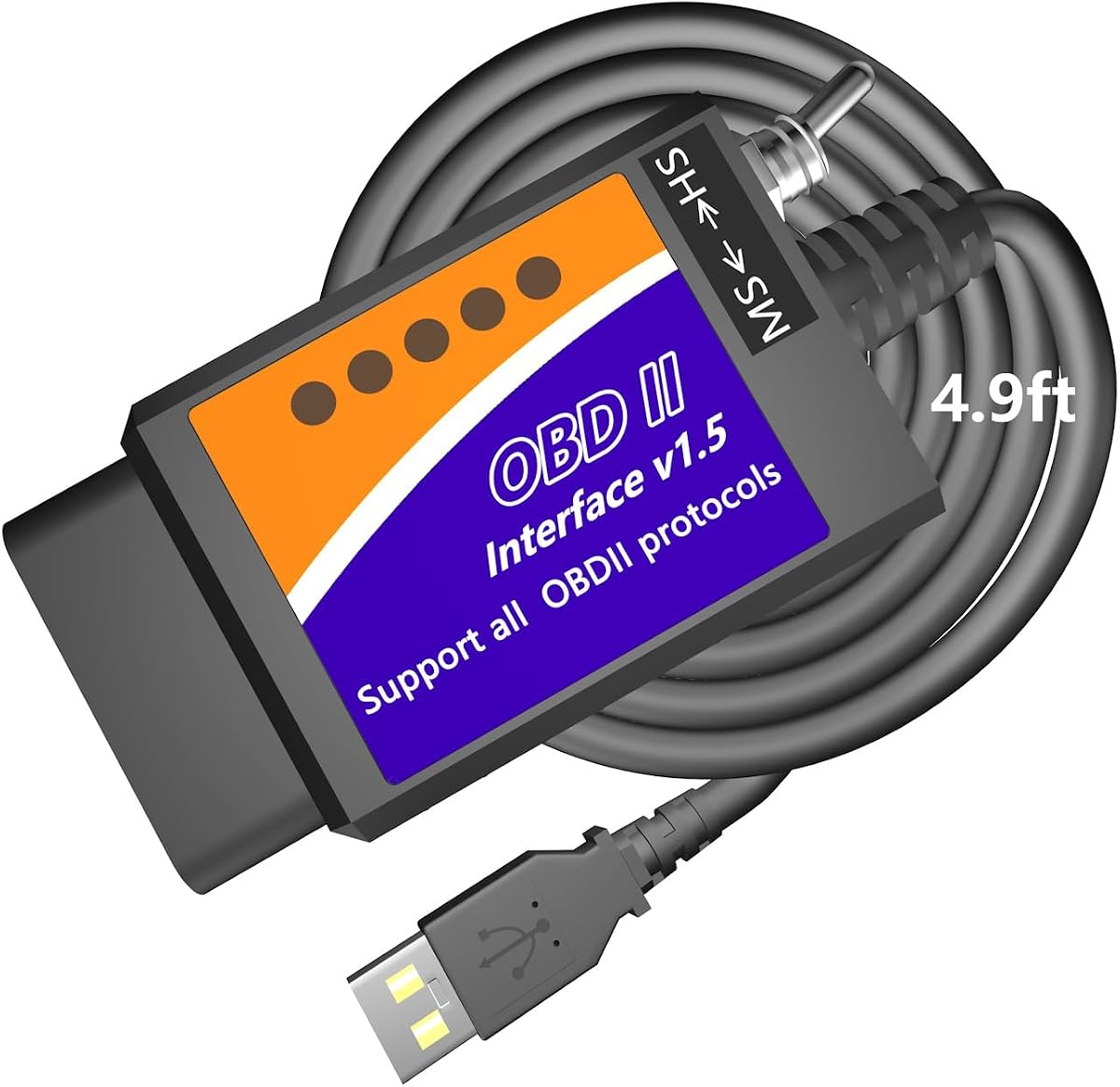
A standout feature of this adapter is the 4.9ft cable which is longer than average. This allows you to place your laptop comfortably while reaching the OBD port easily. It includes a toggle switch for CAN bus access.
We may earn a commission when you buy through this link, at no additional cost to you.
You can unlock secret factory configurations and customize vehicle functions. It supports live data streaming which is useful for monitoring sensor health. The cable length reduces physical strain during long sessions.
The toggle switch is manual so you need to manage it yourself. It does not work with MacBooks or mobile devices without complex emulation. This limits use to desktop Windows environments.
Choose this if you value comfort during diagnostic sessions. The extra cable length prevents cramped positioning. It is a practical tool for owners who frequently access hidden settings or perform repairs.
The 4.9ft cable reaches passenger seats easily. This improves flexibility when working on the vehicle.
Access factory settings like daytime running lights and secure idle. These allow personalized vehicle behavior.
We may earn a commission when you buy through this link, at no additional cost to you.
This adapter uses an FTDI chip which is known for reliability in USB serial connections. It supports speeds of up to 500 kbit/s which is standard for ELM327 devices. The hardware version helps avoid data corruption during transmission.
We may earn a commission when you buy through this link, at no additional cost to you.
It includes a toggle switch to select between MS CAN and HS CAN buses. You can use it with FORScan and other ELMconfig software. This makes it a versatile option for various Ford models.
Installation requires drivers which may be a hurdle for less technical users. The manual switch means you must be aware of the current bus. This is a minor inconvenience compared to the low price.
Pick this for reliable budget friendly diagnostics on supported models. The FTDI chip ensures stable communication. It is a solid choice for users who need a simple tool without extra features.
Reliable hardware for serial connections. This minimizes data loss and corruption risks during use.
Works with FORScan and ELMconfig software. This ensures broad compatibility across diagnostic platforms.
We may earn a commission when you buy through this link, at no additional cost to you.
This version of the Vgate vLinker FS offers automatic electronic switching for convenience. It supports 18V programming voltage output which is needed for certain ECUs. The connection is described as rock solid with no dropped packets.
We may earn a commission when you buy through this link, at no additional cost to you.
It achieves a transmission rate of 3 Mbps and supports high baud rates. This efficiency improves the user experience during configuration and programming. It allows for smooth graphics and real-time meters while working.
The only limitation is that some extended features require an extended license for the software. The hardware itself works fine but you must have the right software access. This is a software detail rather than a hardware flaw.
Select this adapter for its automatic switching and high reliability. The 4.8 rating suggests strong user satisfaction. It is a great choice for those who want consistent results without manual bus toggling.
Eliminates the need for manual bus selection. This saves time and prevents access errors during sessions.
Supports FEPS 18V programming voltage output. This enables deeper configuration and flashing tasks.
We may earn a commission when you buy through this link, at no additional cost to you.
This adapter is a popular choice for Ford owners seeking to unlock hidden modules. It features a toggle switch for CAN buses which facilitates diagnosis and configuration. It runs at a constant speed of 500kbit/s for stable connections.
We may earn a commission when you buy through this link, at no additional cost to you.
It retrieves both generic and manufacturer specific codes. This helps in troubleshooting specific vehicle issues. It also allows access to as-built data which is crucial for customization tasks.
It works on all Windows systems but requires drivers to be installed. The constant speed ensures consistent performance during diagnostics. It is a reliable tool for modifying vehicle settings and monitoring sensors.
Choose this for its balance of features and price. It covers most Ford models effectively. It is a practical option for users who want to customize their vehicles without expensive dealer tools.
Access to as-built data helps for precise modifications. This is key for customizing vehicle configurations.
Manual toggle switch for CAN buses included. This helps in accessing different vehicle modules easily.
We may earn a commission when you buy through this link, at no additional cost to you.
Selecting the right adapter involves considering compatibility features and performance. This guide breaks down the key factors to help you make an informed choice.
Ensure the adapter supports HS-CAN and MS-CAN protocols which are standard for Ford vehicles. Some units also support additional CAN buses for newer models.
Look for adapters that explicitly mention Ford Lincoln and Mazda compatibility.
Adapters come with manual toggle switches or automatic electronic switching. Automatic switching simplifies the process by handling bus transitions for you.
Choose automatic if you want ease of use during programming tasks.
Higher data transfer speeds lead to smoother live data streaming and faster diagnostics. Look for adapters with speeds of 3 Mbps or higher if available.
Fast speeds reduce the time needed to retrieve data and clear codes.
For ECU programming and flashing some adapters provide 18V output. This is essential for older vehicles that require higher voltage for flashing.
Verify voltage specs before attempting any programming on sensitive units.
Most adapters are designed for Windows operating systems and require specific drivers. Ensure you can install these drivers on your PC.
If you use macOS you may need a virtual machine as support is limited.
The length of the USB cable affects comfort during sessions. Longer cables allow better laptop placement and reduce strain.
Opt for cables at least 4 to 5 feet long if you work in a tight space.
Check that the adapter works with FORScan or ELMconfig software. Some units are specifically optimized for these tools to ensure stability.
Verify that the adapter is recommended by the software team for best results.
Look for adapters that come with a warranty and technical support. Firmware updates are also valuable to keep the device compatible with new vehicles.
Good support helps resolve driver issues quickly.
Before connecting the adapter ensure your vehicle is off and your laptop is ready. Install any required drivers on your computer to establish a valid connection.
Connect the adapter to the OBD2 port which is usually located under the steering column. Launch your diagnostic software and scan for the COM port.
After use unplug the adapter carefully to avoid bending the pins. Store it in a dry place to prevent damage from humidity or dust.
Most USB adapters require driver installation to function correctly. Check the product documentation for specific drivers like FTDI or CH340T before use.
No most adapters are designed for Windows only. Mac users may need to run a virtual Windows environment to use these tools.
Manual switching requires you to toggle buses physically while automatic switches handle it via electronics. Automatic switching is generally easier for beginners.
Yes most adapters can read and clear diagnostic trouble codes. This includes generic and manufacturer specific codes for supported vehicles.
Check the product data for specific model lists. Most support Ford vehicles from 1996 onward but newer models may have exceptions.
The hardware does not need a subscription. However some software features may require a license which is separate from the tool.
With proper care these adapters can last years. The USB cable may wear out first so handle it with care during use.
Some adapters have battery protection but leaving it plugged in permanently is not recommended to avoid potential drain.
We have reviewed ten reliable options that cover a range of needs and budgets. The Vgate vLinker FS and OBDLink EX offer high performance for advanced users.
For budget-conscious buyers the ELM327 adapters provide great value without compromising basic functions. Choose based on whether you need automatic switching or manual control.
Always check current availability and specific compatibility before purchasing. Prices and models may change so verify details on the product pages.