
Samsung 49 Inch Odyssey OLED G9
4.3Editor score
QD-OLED panel technology
0.03ms response time
Infinite contrast ratio
Discover the top 49 Inch Ultrawide Monitor for SIM Racing options compared for immersion, speed, and clarity to elevate your virtual driving setup today.
Sim racing demands immersion that flat screens cannot provide. A 49 inch ultrawide monitor for SIM racing wraps around your field of view, delivering realistic peripheral vision essential for cornering and overtaking on virtual tracks.
We evaluated ten leading models based on resolution, refresh rate, curvature, and panel technology. Our analysis focuses on how each display handles motion clarity, color accuracy, and eye comfort during extended racing sessions.
Each pick highlights specific strengths like response time, HDR support, and connectivity. Prices and availability change frequently, so verify current stock and deals before purchasing to ensure you get the best value for your rig.
4.3Editor score

4.6Editor score
4.1Editor score
This side-by-side comparison highlights key specifications across all ten monitors. Focus on resolution, curvature, and refresh rate to find the model that aligns with your sim racing setup requirements.





This monitor delivers a compelling mix of speed and immersion for sim racers. Its 49 inch display with 1500R curvature wraps around your vision effectively. The 165Hz refresh rate ensures smooth motion during high-speed tracks.
We may earn a commission when you buy through this link, at no additional cost to you.
The DQHD resolution provides sharp details essential for reading track markers. Color accuracy is strong with 127% sRGB coverage. Adaptive Sync technology helps minimize tearing on compatible GPUs for fluid gameplay.
While HDR400 support is present, peak brightness may not satisfy HDR purists. The lack of USB-C limits single-cable setups for some users. However, HDMI and DisplayPort options cover most gaming PCs and consoles.
Ideal for racers wanting high performance without premium OLED costs. It balances price and features well for entry to mid-tier sim rigs. Consider this for reliable daily racing without compromises.
The 165Hz refresh rate paired with 1ms response time minimizes motion blur during cornering and braking. This clarity helps maintain spatial awareness in fast-paced sessions.
Beyond racing, the screen space replaces two QHD monitors for setup management. PIP and PBP modes allow multitasking between telemetry and chat without clutter.
We may earn a commission when you buy through this link, at no additional cost to you.
This OLED model offers unmatched visual fidelity with deep blacks and vibrant colors. The QD-OLED panel delivers infinite contrast for realistic night racing scenes. Pixel response is nearly instant, eliminating ghosting artifacts.
We may earn a commission when you buy through this link, at no additional cost to you.
Motion handling excels with 144Hz refresh and G-Sync integration. Thermal modulation protects against overheating during long runs. Logo detection reduces static image risks effectively.
Peak brightness is moderate compared to high-end LCDs. The thermal system requires attention in warm rooms. Still, the clarity and color depth justify the investment for serious enthusiasts.
Top choice for those prioritizing image quality over raw speed. Ideal for sim rigs where immersion trumps competitive edge. Expect stunning visuals in dark tunnels and realistic lighting.
Infinite contrast allows deep blacks in tunnels and dark tracks. This enhances depth perception and atmosphere during night endurance events significantly.
Wide color spectrum ensures accurate representation of track branding and cars. Vibrant visuals make the virtual environment feel more lifelike and engaging.
We may earn a commission when you buy through this link, at no additional cost to you.
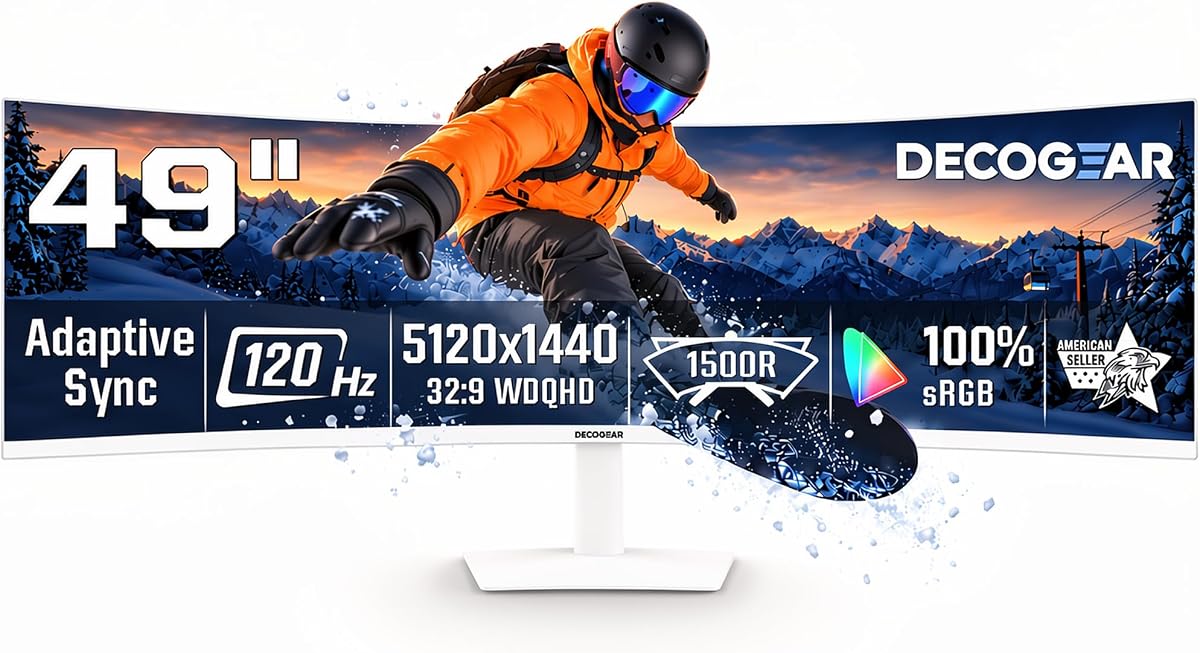
An accessible entry point into 49 inch sim racing displays. The 120Hz refresh rate handles most racing titles adequately. USB-C with 65W power simplifies laptop connections effectively.
We may earn a commission when you buy through this link, at no additional cost to you.
5120×1440 resolution ensures crisp track details and telemetry. Built-in speakers provide basic audio feedback. The stand offers good adjustability for ergonomic comfort.
Response times may lag behind premium options. Color gamut is standard for VA panels. Still, the balance of features and cost makes it a smart start.
Suitable for casual racers or those on a budget. Offers core immersion without high-end costs. Consider if price is a primary concern over peak performance.
USB-C allows single cable video and power for laptops. This reduces cable clutter and simplifies setup for portable sim rigs effectively.
Built-in speakers provide convenient audio without extra hardware. Though basic, they help deliver engine sounds and alerts during gameplay.
We may earn a commission when you buy through this link, at no additional cost to you.
This model emphasizes connectivity with robust USB-C options. The 120Hz refresh handles most sim racing smoothly. Built-in speakers add convenience for quick setups.
We may earn a commission when you buy through this link, at no additional cost to you.
Color accuracy meets 99% sRGB for consistent visuals. HDR400 enhances contrast in dark scenes. The adjustable stand allows ergonomic viewing angles easily.
Response times are average for VA panels. Curvature is less aggressive than competitors. Overall, a well-rounded option for hybrid work and play use.
Best for users needing versatile connectivity. Good for home offices and sim rigs alike. Consider if USB-C is a priority for your setup.
99% sRGB ensures reliable color for design and gaming. This consistency helps maintain realistic track environments and car livery details.
Power delivery simplifies charging devices while displaying video. This reduces cable clutter and supports mobile sim station setups effectively.
We may earn a commission when you buy through this link, at no additional cost to you.
The 240Hz refresh rate sets new benchmarks for smooth motion. 1000R curvature wraps vision deeply for maximum immersion. HDR1000 delivers bright highlights and deep contrast.
We may earn a commission when you buy through this link, at no additional cost to you.
AMD FreeSync Premium Pro eliminates tearing and stuttering. Auto Source Switch detects devices instantly for quick access. Core Lighting enhances setup ambiance.
Extreme curvature can distort text at edges. High brightness requires good room lighting. Still, performance is top-tier for competitive racing.
Top pick for competitive sim racers needing speed. Ideal for dedicated gaming rooms with controlled lighting. Prioritize if refresh rate is critical.
1000R curvature matches human eye field of view. This wraps the screen around your vision for realistic peripheral awareness.
240Hz refresh ensures crisp motion without blur. Essential for fast laps where split-second visibility matters most.
We may earn a commission when you buy through this link, at no additional cost to you.
A refined 2025 release with balanced performance. 144Hz refresh handles most games smoothly. 1000R curvature provides deep immersion.
We may earn a commission when you buy through this link, at no additional cost to you.
DisplayHDR 600 offers strong contrast. Auto Connect switches inputs seamlessly. Ergonomic stand supports long sessions.
Cost is higher than budget alternatives. Size demands ample desk space. However, build quality and features are excellent.
Recommended for those seeking modern reliability. Fits well in dedicated sim rooms. Consider if budget supports premium features.
Auto Connect detects active devices instantly. This reduces setup time between console and PC use significantly.
Stand adjustments reduce strain during long races. Comfort remains consistent even after extended gaming hours.
We may earn a commission when you buy through this link, at no additional cost to you.
This model offers strong performance for mid-range budgets. 165Hz refresh ensures smooth gameplay. 120% sRGB provides vibrant colors.
We may earn a commission when you buy through this link, at no additional cost to you.
Adjustable stand supports ergonomic positioning. FreeSync minimizes tearing effectively. Good value for general gaming.
HDR support is limited. Connectivity lacks USB-C. Still, solid for PC-based sim racing.
Best for balanced performance and cost. Fits casual to intermediate racers. Consider if USB-C is not required.
120% sRGB ensures vivid and accurate visuals. This enhances track and car details significantly for immersive racing.
165Hz refresh minimizes motion blur during turns. Essential for tracking fast-moving cars clearly.
We may earn a commission when you buy through this link, at no additional cost to you.
A classic choice known for durability. 144Hz refresh handles sim games smoothly. 1800R curve is comfortable for long sessions.
We may earn a commission when you buy through this link, at no additional cost to you.
Eye care features reduce fatigue. FreeSync 2 HDR enhances visuals. Adobe Creative Cloud adds value.
Resolution lags behind newer models. Design is dated compared to modern options. Still reliable for stable performance.
Suitable for established rigs not needing latest specs. Consider if reliability is priority over resolution.
Flicker-free and low blue light features help reduce strain. This supports longer sessions without fatigue.
Adobe Creative Cloud includes design tools. Useful for content creators using the rig.
We may earn a commission when you buy through this link, at no additional cost to you.
This model offers exceptional refresh rates at lower cost. 240Hz refresh ensures fluid motion. 99% sRGB ensures accurate colors.
We may earn a commission when you buy through this link, at no additional cost to you.
Connectivity includes HDMI and DisplayPort. Built-in speakers aid audio. Good balance for performance.
HDR remains limited. Stand is basic compared to premium. Still strong for competitive sim racing.
Top for speed-focused setups on budget. Consider if refresh rate is primary goal.
240Hz refresh minimizes input lag. Essential for competitive racing where split seconds matter.
High resolution ensures crisp track details. Helps identify road edges and braking points easily.
We may earn a commission when you buy through this link, at no additional cost to you.
A premium OLED model with high refresh. Perfect blacks enhance night racing visuals. 240Hz refresh ensures fluid motion.
We may earn a commission when you buy through this link, at no additional cost to you.
G-Sync ensures smooth gameplay. Slim design fits modern setups. Color accuracy is unmatched.
Cost is high. Static elements pose burn-in risk. Still delivers best visual quality.
Ideal for enthusiasts prioritizing image quality. Consider if budget supports OLED. Best for visual fidelity focus.
QD-OLED delivers deep blacks and vivid colors. This elevates immersion in racing scenes significantly.
240Hz refresh on OLED provides rare speed. Ideal for competitive racing needing clarity and speed.
We may earn a commission when you buy through this link, at no additional cost to you.
Selecting the right monitor involves balancing resolution, refresh rate, and panel type. Each factor impacts how immersion and motion clarity feel in your rig.
Higher resolutions like 5K2K ensure crisp track details and readable telemetry. This clarity helps identify road edges and braking points accurately. Lower resolutions may struggle with text sharpness.
Prioritize DQHD or higher for optimal visual detail.
Refresh rates between 120Hz and 240Hz determine motion smoothness. Higher rates reduce blur and help maintain spatial awareness. This is critical during cornering and overtaking.
Aim for 144Hz or higher for competitive play.
Curvature ranges from 1800R to 1000R. Tighter curves like 1000R wrap your vision more deeply. This enhances immersion but may distort text at edges. Choose based on desk size and preference.
Select curvature that matches your natural eye field.
VA panels offer high contrast and cost savings. OLED panels provide infinite contrast and faster response. Consider brightness and burn-in risks. OLED excels in dark scenes.
Pick panel based on contrast needs and budget.
USB-C with power delivery simplifies laptop connections. HDMI and DisplayPort ensure compatibility with PCs and consoles. Check ports match your GPU outputs. Avoid adapters for stable signal.
Ensure ports support your desired refresh rate.
HDR support enhances dynamic range in tracks. Peak brightness above 400 nits helps in bright rooms. Low brightness reduces visibility in daytime races. Look for DisplayHDR 600 or higher.
Consider HDR if lighting conditions vary.
Adjustable stands reduce strain during long sessions. Look for height and tilt adjustments. VESA mounts allow arm setups. Comfort is vital for endurance events.
Prioritize ergonomic adjustments for extended use.
G-Sync and FreeSync reduce screen tearing. These technologies sync the GPU and panel for fluid motion. Check compatibility with your graphics card. Essential for glitch-free racing.
Ensure sync matches your GPU brand.
Start by calibrating display settings to match your room lighting. Use the monitor's preset modes to balance brightness and color temperature. This ensures comfortable viewing during long racing sessions.
Position the monitor at arm's length to maintain immersion. Adjust tilt and height so the center aligns with eye level. Proper alignment reduces neck strain over time.
Keep the screen clean with a soft microfiber cloth. Avoid harsh chemicals that damage coatings. Ensure vents remain unblocked to prevent overheating during extended use.
A 49 inch monitor requires significant desk depth and width. Most desks support it if you leave ample clearance. Ensure your arm reach remains comfortable. Consider VESA mounting if desk space is tight.
144Hz to 240Hz is ideal for fluid motion. Higher rates reduce blur during fast turns. If your GPU supports it, aim for 144Hz minimum. Lower rates may cause motion blur in competitive play.
Curvature wraps the screen around your vision. Tighter curves like 1000R feel more immersive. However, very tight curves may distort text. Choose based on personal comfort preference.
OLED offers deep blacks and fast response. This enhances night racing visuals significantly. However, costs are higher. Consider if image quality outweighs budget concerns for your setup.
A modern dedicated GPU is required for high refresh and resolution. Integrated graphics often struggle with 49 inch panels. Ensure your GPU supports your monitor's refresh rate and resolution.
Yes, the wide workspace suits multitasking. Productivity features like PIP and PBP help. However, text clarity varies by resolution. Consider hybrid use if work is also a priority.
The top picks span budget to premium options for diverse needs. Models like Raywego offer excellent balance for entry rigs. High-end OLEDs deliver unmatched immersion for enthusiasts.
Prioritize refresh rate and resolution for racing performance. Balance these with curvature and panel type. Your choice depends on competitive needs and visual preference.
Prices and stock fluctuate frequently. Always verify current deals before purchasing. Investing in the right monitor elevates your sim racing experience significantly.