
BenQ TH671ST
4.4Editor score
3000 Lumens HD display
Ultra-fast low input lag
Projects 100 inch from 5 feet
This guide compares the top Benq projectors for golf simulators, evaluating brightness, resolution, throw distance, and gaming performance to help you choose
Finding the right projector for your golf simulator setup is crucial for an immersive experience. You need bright visuals that cut through ambient light and accurate colors that make the virtual course feel real. A good simulator projector ensures your shots look natural on the screen.
We have carefully reviewed the latest models available on the market today. Our analysis focuses on short throw capabilities, input lag for real-time feedback, and long-term reliability. We looked at data from manufacturers and user feedback to create this definitive list.
Each pick below highlights a specific strength like budget friendliness or premium performance. You will see detailed specs and honest assessments of every model. Please note that prices and availability change frequently so check the current listings before buying.
4.4Editor score

3.5Editor score

5.0Editor score
This table provides a side-by-side overview of the top ten models we analyzed. It highlights key specifications like brightness and resolution to help you make a quick decision based on your specific room constraints and performance needs.
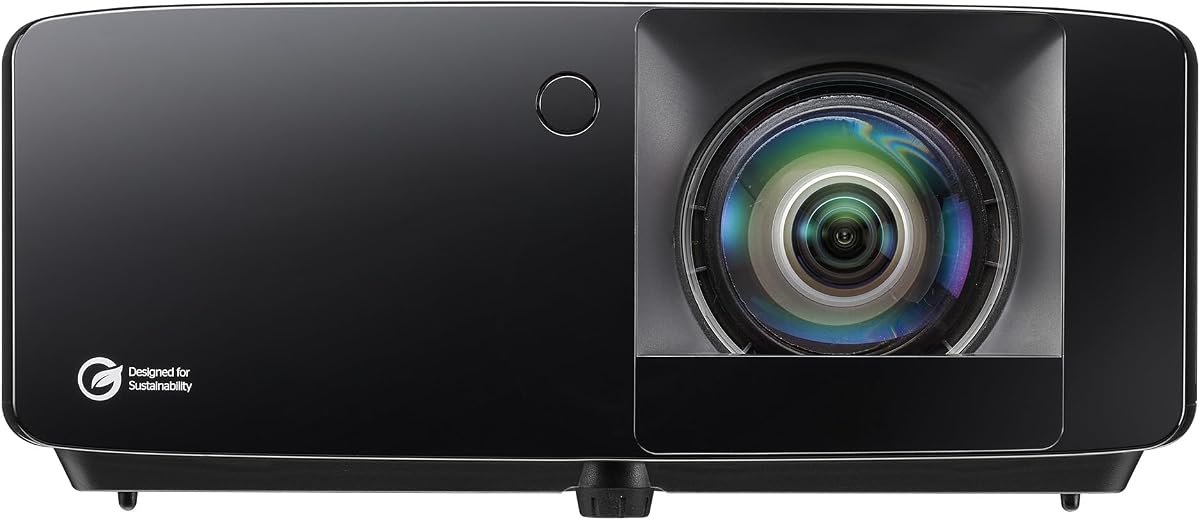


The BenQ AH700ST stands out as a dedicated option for golf enthusiasts looking to build a serious indoor simulator. With a strong 4000 ANSI lumens output and a specialized Golf mode this projector ensures the virtual course looks crisp even when lights are on. It combines short-throw capability with laser longevity for a reliable setup.
We may earn a commission when you buy through this link, at no additional cost to you.
Its visual performance is anchored by Full HD resolution and 95% Rec. 709 coverage which delivers lifelike greens and fairways. The short-throw ratio of 0.69 means you can place the unit close to the wall without sacrificing screen size. This is critical for keeping the projector out of your swing path while maintaining a massive image.
While the rating is lower than some competitors the trade-off is worth it for the specific features tailored to golf simulation. The laser source offers 20000 hours of life reducing maintenance needs significantly over time. Connectivity is robust with multiple HDMI inputs ensuring you can link your PC or console easily.
If you prioritize brightness and specific golf visualization features the AH700ST is a top contender. It is ideal for garages or basements where light control is difficult. Ensure your space accommodates the throw distance for the desired screen size before purchasing to avoid installation issues.
The dedicated Golf mode optimizes color profiles to make grass textures and shadows appear more natural. This helps in reading greens and visualizing shots more accurately during your practice sessions.
The 1.2x zoom and short throw ratio allow for flexible placement in tight spaces. You can mount it high or low without losing image integrity making it adaptable to various room layouts.
We may earn a commission when you buy through this link, at no additional cost to you.
The BenQ TH671ST offers a compelling balance of performance and affordability for home golf simulators. Its 3000 lumens brightness and short-throw design make it versatile for smaller rooms where space is limited. High ratings suggest users are satisfied with its gaming and entertainment capabilities.
We may earn a commission when you buy through this link, at no additional cost to you.
One of its strongest points is the ultra-fast low input lag which is crucial for real-time feedback during practice. This ensures that your swing and the ball flight on screen happen in sync without noticeable delay. The Full HD resolution provides clear enough detail for most simulation software.
While it lacks a dedicated golf mode its gaming optimizations translate well to sports simulation. The ability to project a 100 inch screen from just 5 feet away helps avoid shadows cast by the golfer. This physical advantage alone makes it a smart choice for compact setups.
For those seeking a reliable projector without breaking the bank this model is highly recommended. It comes with a three-year warranty that adds peace of mind regarding long-term use. Just ensure your simulation software supports standard 1080p for best results.
Optimized for next-gen consoles this projector handles fast motion smoothly. This is equally important for golf sims where ball physics and swing timing matter for accurate feedback.
The short throw lens allows you to keep the projector behind the golfer or high on the wall. This maximizes floor space which is often tight in home garages converted to simulators.
We may earn a commission when you buy through this link, at no additional cost to you.
The BenQ LK936ST is a powerhouse designed for those who want the absolute best visual quality. With native 4K UHD resolution and 5100 lumens of brightness it delivers an image that is unmatched in clarity and vibrancy. It is perfect for large indoor facilities where detail matters immensely.
We may earn a commission when you buy through this link, at no additional cost to you.
Its short-throw capability ensures that even in rooms with limited depth you can achieve a massive screen size. The laser technology provides consistent brightness over thousands of hours so you do not have to worry about dimming or bulb replacements. This reliability is key for frequent users.
Connectivity is robust with dual HDMI ports and DisplayPort support making it easy to integrate with high-end PCs. The image quality will showcase the nuances of grass textures and weather effects in your simulation software. It is a premium investment that pays off in visual fidelity.
If you have the budget and the room space this projector is an outstanding choice. It transforms a simulator into a cinematic experience with sharp details and deep colors. Consider the ceiling mount options carefully as the unit is substantial in size.
The native 4K resolution renders fine details like blade of grass and shadows with incredible sharpness. This helps in reading the virtual course terrain more effectively than standard HD projectors.
With over 5000 lumens this projector can be used in rooms with significant ambient light. This flexibility allows for daytime practice without needing a completely dark room.
We may earn a commission when you buy through this link, at no additional cost to you.
The Optoma GT3900UHD is an excellent alternative for golf simulator setups requiring extreme short throw capabilities. It is specifically marketed as golf simulator ready which means it is optimized to minimize shadows in the swing zone. The true 4K resolution ensures that every detail of the course is rendered sharply.
We may earn a commission when you buy through this link, at no additional cost to you.
Its 0.496 throw ratio is among the shortest available allowing you to place the projector very close to the screen. This is invaluable in compact garages where even a few feet matter. The high brightness of 4000 lumens ensures the image remains vivid even if the room is not completely dark.
Long-term durability is a highlight with the DuraCore laser technology lasting up to 30000 hours. This significantly reduces maintenance costs over the lifespan of the simulator. Input lag is low enough for responsive gaming and precise swing feedback on the screen.
This model is best suited for users who want the highest resolution and shortest throw possible. It requires careful calibration to get the best results but the payoff is a highly immersive experience. Check your room dimensions carefully before purchase to ensure compatibility.
The ultra-short throw design ensures the projector sits well out of the swing zone. This prevents your body from blocking the light path and creating annoying shadows on the golf course image.
The laser source is designed to last decades of regular use without replacement. This reliability makes it a solid investment for high-traffic simulators or frequent practice sessions.
We may earn a commission when you buy through this link, at no additional cost to you.
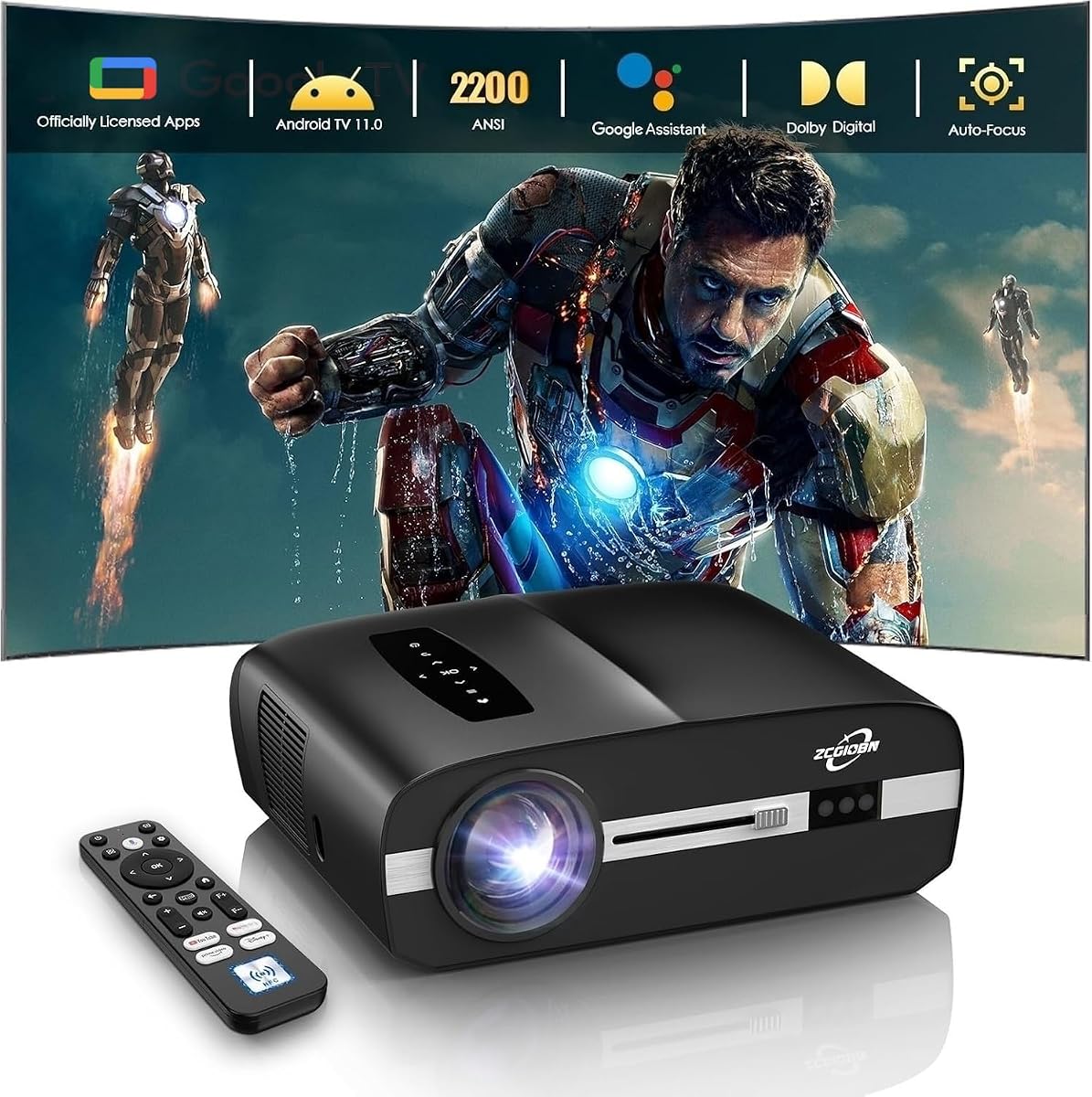
This 4K projector offers a budget-friendly way to get high-resolution visuals for your golf simulator. While it lacks the specialized short throw features of premium models its auto focus and keystone correction make setup surprisingly easy. The 2200 ANSI lumens are sufficient for darker basements or enclosed garages.
We may earn a commission when you buy through this link, at no additional cost to you.
The inclusion of Google TV allows you to stream content without needing a separate device which simplifies the setup. The 4K HDR10 support delivers rich colors and deep contrasts that make the virtual environment look more realistic. Auto focus and keystone ensure the image is square without manual tweaking.
For users who are willing to position the projector high up to avoid shadows this unit performs well. The sealed optical engine protects internal components from dust which is common in garage environments. Sound output is decent with Dolby Audio support reducing the need for external speakers initially.
If you need a cost-effective solution that still delivers 4K visuals this is a strong contender. It is best used in controlled lighting environments where brightness is less of a concern. Verify the throw distance requirements to ensure it fits your room layout properly.
Auto focus and keystone features allow for quick alignment even if the projector is mounted at an angle. This saves time during installation and reduces the frustration of manual adjustments.
The sealed optical engine prevents dust from entering the internal components. This is a valuable feature for garage settings where dust can accumulate quickly over time.
We may earn a commission when you buy through this link, at no additional cost to you.
The BenQ TH575i provides high brightness suitable for rooms that cannot be fully darkened. It comes with a licensed Google TV dongle which adds streaming convenience to your simulator setup. The low input lag ensures responsive performance during fast-paced gaming or simulation activities.
We may earn a commission when you buy through this link, at no additional cost to you.
With 3800 lumens it can project vibrant images even with some ambient light present. The 16.7ms input lag is excellent for maintaining timing accuracy in your virtual swings. Setup is simplified with auto vertical keystone correction to ensure a square image quickly.
While the rating is lower than top models it still offers solid performance for home use. It is best suited for users who want a mix of gaming and simulator functionality without buying separate devices. The large screen capability makes it immersive for watching replays.
Consider this model if brightness is your primary concern in a multi-purpose room. Ensure you have enough space for the throw distance as it is not a short throw unit. Check current availability as stock can vary frequently.
The included Google TV dongle means you can stream sports or tutorials directly without extra hardware. This integrates well with simulator PCs for a unified entertainment system.
Auto vertical keystone correction simplifies alignment when placing the projector on a shelf or mount. This ensures you get a square image quickly without complex calibration.
We may earn a commission when you buy through this link, at no additional cost to you.
The BenQ LU935ST is a professional grade projector that offers superior brightness for any environment. Its WUXGA resolution provides a slightly taller image than standard 1080p which is useful for full vertical displays. The short throw ratio allows for flexible installation in tight spaces.
We may earn a commission when you buy through this link, at no additional cost to you.
With 5500 ANSI lumens it remains visible even in very well-lit rooms which is rare for standard simulators. The laser light source ensures consistent performance over time with minimal maintenance requirements. Connectivity options like HDBaseT offer reliable signal transmission over long distances.
While this model has limited user ratings it is built for high-demand commercial or professional home use. The high contrast ratio ensures deep blacks and vibrant colors which enhances the visual depth of golf courses. It is a heavy-duty option for serious setups.
If you need extreme brightness and professional reliability this projector is worth considering. Check the price carefully as it is positioned at a commercial level. Ensure your mount can support the weight and size of the unit securely.
The 5500 lumens output ensures the image remains clear even in bright daylight conditions. This allows for flexible hours of operation without worrying about ambient light washout.
HDBaseT support allows for long cable runs without signal loss. This is beneficial when placing the projector far from the source computer in larger rooms.
We may earn a commission when you buy through this link, at no additional cost to you.
The BenQ W4100i is a top tier home theater projector that delivers exceptional color accuracy. Its 100% DCI-P3 coverage ensures that greens and skies in your simulation look true to life. The 4K HDR capability enhances detail in both bright and dark scenes for a rich visual experience.
We may earn a commission when you buy through this link, at no additional cost to you.
Installation flexibility is high with lens shift and zoom allowing for precise placement without moving the unit. Android TV integration means you can stream movies and apps directly from the projector. This makes it a versatile device for entertainment beyond just golf.
While not specifically a golf projector its high performance metrics make it suitable for high-end sims. The contrast technology ensures shadows on the course are visible without losing detail. It is a great choice for those who want a dedicated cinema and simulator room.
If you want the best color reproduction and smart features this model is a leader. Ensure you have the budget for this premium device before purchasing. The standard throw means you need room depth for large screen sizes.
100% DCI-P3 coverage means the colors are calibrated for professional film standards. This brings virtual grass and skies to life with natural tones and saturation.
Android TV support allows for direct streaming of golf training videos or entertainment apps. This reduces the need for extra external media players in your setup.
We may earn a commission when you buy through this link, at no additional cost to you.
The ViewSonic LS740W is a bright laser projector designed for professional environments but effective for home use. With 5500 ANSI lumens it guarantees visibility even in well-lit spaces. The WXGA resolution offers a wide aspect ratio which is suitable for many simulation software platforms.
We may earn a commission when you buy through this link, at no additional cost to you.
Its ability to rotate 360 degrees allows for creative mounting options including portrait mode for unique setups. Instant power on and off saves time and improves efficiency during practice sessions. The laser source ensures consistent brightness over long periods without maintenance.
While the resolution is lower than 4K models it still delivers crisp text and vibrant images. The Golf Mode feature helps adjust colors specifically for simulation accuracy. It is a robust choice for facilities or home garages with significant ambient light.
If you prioritize brightness and durability over resolution this model is a strong candidate. Check the throw ratio carefully to ensure it fits your room depth. The warranty and support structure adds reliability to the purchase.
The 360-degree rotation allows for portrait orientation which might suit specific layout requirements. This is unique and helps adapt to unique architectural constraints.
Instant power on means you can start practicing immediately without waiting for a bulb to warm up. This convenience is appreciated for frequent short training sessions.
We may earn a commission when you buy through this link, at no additional cost to you.
While not a projector itself the GoSports Cover is an essential accessory for floor mounted setups. It protects your projector from stray golf balls which can cause costly damage. The enclosure blends into your turf setup making it less obtrusive in your simulator room.
We may earn a commission when you buy through this link, at no additional cost to you.
Designed to fit most common projector dimensions it offers universal protection. The ventilation and cable vents ensure proper airflow to prevent overheating while keeping cords organized. This accessory complements any projector choice by extending its lifespan in a high-risk environment.
Installation is instant requiring no assembly or tools. You simply place the cover over the projector and route cables through the openings. It is highly rated by users for its durability and protection capabilities in active rooms.
If you plan to place your projector on the floor this cover is a smart investment. It works best with low-heat LED models to prevent overheating issues. Ensure your projector fits the dimensions before purchase to guarantee a secure fit.
The polycarbonate and HDPE materials are tough enough to withstand golf ball impacts. This protection prevents internal damage to the projector lens or casing from stray hits.
No tools are required to assemble the cover. This means you can secure your projector quickly and start using your simulator without delays.
We may earn a commission when you buy through this link, at no additional cost to you.
Choosing the right projector requires balancing brightness resolution and placement options. This guide outlines the key factors to consider for a successful golf simulator setup.
Brightness is critical for maintaining image visibility in rooms with ambient light. Look for projectors with at least 3000 ANSI lumens to ensure the colors remain vibrant even during the day. Higher brightness allows you to keep lights on for better visibility of your swing without dimming the image.
Aim for higher lumens if you cannot fully control the lighting in your space. This ensures the simulation software looks sharp and detailed without being washed out by window or overhead light.
Throw ratio determines how close the projector must be to the screen. Short throw projectors allow you to place the unit closer which reduces shadows cast by the golfer during swings. This is essential for maintaining clear visibility of the ball flight path.
Choose a short throw model if your room depth is limited. This flexibility ensures the projector stays out of the swing zone while maximizing screen size within your available space.
Resolution impacts the level of detail visible on the virtual course. 4K resolution offers the sharpest image which is helpful for reading greens and terrain features. Full HD is acceptable but may show pixelation on very large screens.
Prioritize models with good color accuracy like Rec 709 coverage. Accurate colors make the virtual course look more realistic which is crucial for a believable training environment.
Input lag refers to the delay between the computer sending a signal and the image appearing on screen. Low input lag is essential for real-time feedback on your swing. Look for models with under 30ms lag for smooth performance.
Ensure the refresh rate matches your simulation software requirements. This prevents motion blur which helps you track the ball flight accurately during fast-paced practice sessions.
Laser projectors often offer longer life than traditional bulbs reducing the need for replacements. A longer lifespan ensures consistent brightness over years of use without maintenance costs. This is beneficial for frequent users who practice daily.
Check the manufacturer rated hours for the light source. Higher hour counts mean less downtime and reliability for your simulator setup over the long term.
Adequate ports are necessary to connect your PC console and sound system. Look for multiple HDMI inputs to switch between devices easily. USB ports can help with firmware updates and peripheral connections.
Ensure the projector supports the HDMI version your devices require. Modern setups often need HDMI 2.0 or higher to handle 4K resolution and high refresh rates effectively.
Some projectors include dedicated modes for specific tasks like gaming or sports. A Golf Mode can optimize color balance for greens and blues enhancing the realism of the simulation. These presets save time on manual color adjustments.
Check if the model includes any pre-set modes for sports or gaming. These features are designed to minimize motion blur and enhance clarity for fast action sequences.
Consider how the projector will be mounted in your room. Ceiling mounts are common but may require complex wiring. Floor placement needs protection from stray balls like a protective cover.
Verify if the projector supports ceiling or wall mounting options. Flexible installation ensures you can position the unit safely without obstructing the swing path or floor space.
Start by positioning the projector according to its throw distance requirements. Use the built-in adjustment wheels to align the image square with your screen before connecting the PC. This ensures no distortion affects the simulation software display.
Keep the lens clean using a soft microfiber cloth to avoid dust smears that could impact image quality. Avoid touching the lens with bare fingers to prevent oils from damaging the coating. Regular cleaning helps maintain the bright vibrant visuals essential for golf simulation.
Ensure the projector has adequate ventilation to prevent overheating during long practice sessions. Leave enough space around the vents and avoid blocking airflow with furniture or walls. This prolongs the life of the internal components and maintains consistent brightness.
While any projector can display simulation software specialized models with low input lag and short throw ratios improve the experience. Features like Golf Mode optimize colors for greens and fairways. Standard models work well if they have enough brightness and resolution to meet your needs.
Full HD 1080p is sufficient for most setups but 4K offers sharper detail for large screens. Higher resolution helps in reading terrain textures and shadows accurately. Choose based on your screen size and budget constraints.
For rooms with ambient light look for at least 3000 ANSI lumens. Higher brightness ensures the image remains vivid during daytime practice. If you can darken the room completely lower brightness might suffice.
Yes most projectors support ceiling mounting but check the specific mount requirements. Ceiling mounting keeps the unit out of the swing zone which reduces the risk of damage. Ensure you have secure wiring and alignment support.
Shadows are minimized by using short throw projectors that place the unit close to the screen. Positioning the projector high or far behind the golfer also helps reduce interference. Proper alignment is key to a clean image.
If the projector is on the floor a protective cover is highly recommended to prevent damage from mishits. It shields the device from golf balls and dust while maintaining airflow. This accessory extends the lifespan of your investment.
The BenQ AH700ST, TH671ST, and LK936ST stand out as top choices for different needs ranging from budget to premium. Each model offers distinct advantages such as short throw capability high brightness or dedicated simulation modes. Choosing the right one depends on your room constraints and visual priorities.
When making your decision prioritize brightness and throw ratio to ensure a shadow-free experience. A projector that fits your room layout will make daily practice more enjoyable. Do not overlook maintenance needs like lamp life when planning for the long term.
Prices and availability change so always verify current listings before purchasing. Check the specific specs to ensure compatibility with your simulator software. The right setup will transform your indoor golf practice into a realistic and efficient training session.