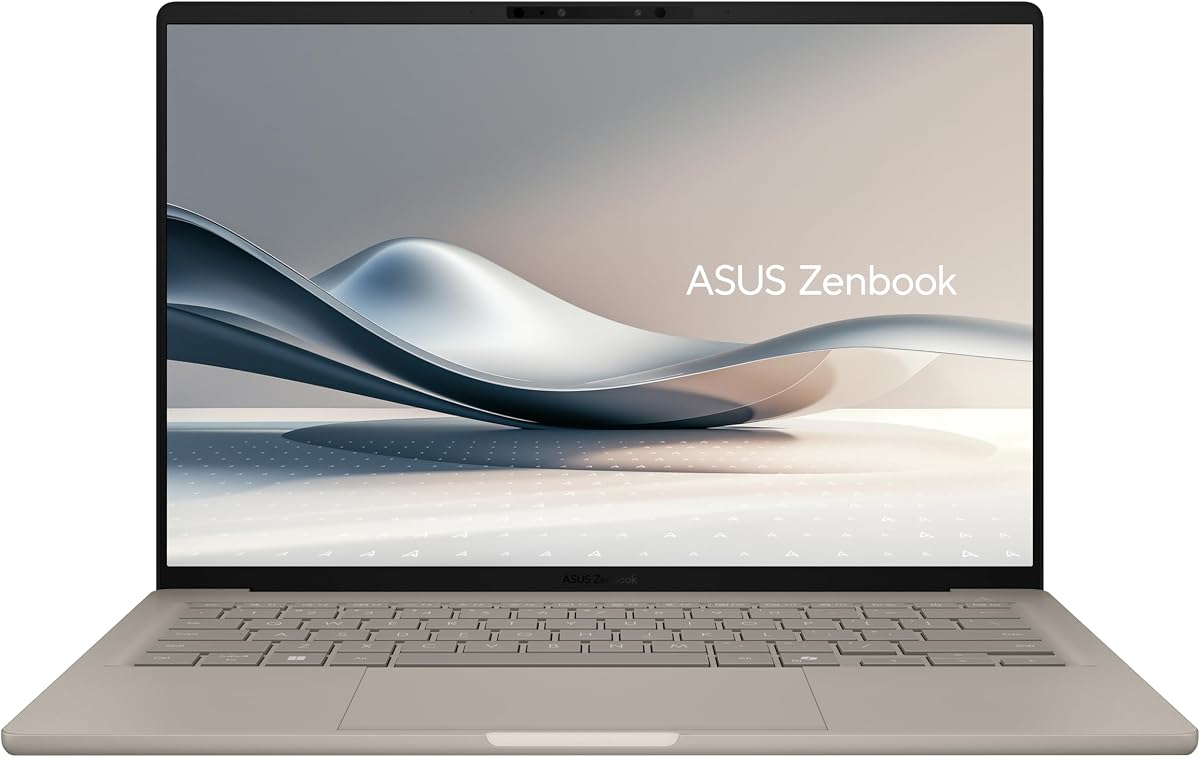
ASUS Zenbook A14
3.7Editor score
Ultra-light 980g Ceraluminum body
Snapdragon X Processor with 45 TOPS
32-hour battery life offline
Finding a portable computer that balances weight and power is essential for modern users. Lightweight ASUS laptops offer sleek designs and strong performance without the bulk of traditional machines.
We evaluated ten models based on portability, processor speed, battery life, and build quality. Our analysis focuses on real-world usability for students, professionals, and travelers seeking reliable mobility.
Each pick highlights unique strengths like OLED screens, AI chips, or budget-friendly pricing. Note that prices and availability can change quickly, so verify current details before purchasing your next device.
3.7Editor score

4.4Editor score

4.3Editor score
As an Amazon Associate we earn from qualifying purchases.
This table provides a side-by-side overview of the ten selected models, highlighting key specifications like screen size, processor type, memory, and storage capacity.





This model offers an accessible entry into portable computing with a solid 4.3 rating. It balances essential performance features with a budget-friendly design for everyday users.
We may earn a commission when you buy through this link, at no additional cost to you.
The AMD Ryzen 3 processor handles basic productivity smoothly while the 8GB DDR5 RAM ensures decent multitasking. The ergonomic keyboard and 180-degree hinge add usability.
Storage is limited to 128GB which may require external drives for heavy media users. The display brightness is adequate for indoor use but not ideal for bright outdoor environments.
Ideal for students or casual users needing a light machine for web browsing and documents. It provides reliable core features without unnecessary cost or weight.
At 3.59 lbs the laptop is easy to carry daily. The slim profile fits comfortably in standard backpacks.
It meets military-grade durability standards ensuring resistance to shocks and temperature variations during travel.
We may earn a commission when you buy through this link, at no additional cost to you.
This variant upgrades storage to 512GB which helps users manage files locally. The Ryzen 5 processor provides faster performance than the base model for smoother operations.
We may earn a commission when you buy through this link, at no additional cost to you.
The enhanced processing power supports light gaming and heavier browsing tasks better than the lower tier. Military-grade durability ensures longevity for students moving between locations.
While storage improves the RAM remains at 8GB which might limit heavy multitasking workloads. Users may still face limitations when running multiple demanding applications simultaneously.
This model suits those needing more local storage for photos or documents without upgrading to a premium line. It maintains the budget-friendly weight and design principles.
The 512GB SSD offers significantly more space for applications and personal files than the base 128GB option.
AMD Ryzen 5 provides a noticeable bump in speed for multitasking and media playback compared to the Ryzen 3.
We may earn a commission when you buy through this link, at no additional cost to you.
With a top 4.8 rating this model stands out for its AI integration and smooth performance. It represents the future of portable computing with the Snapdragon X platform.
We may earn a commission when you buy through this link, at no additional cost to you.
The 16GB RAM and Snapdragon X processor ensure excellent multitasking and energy efficiency. Copilot+ features offer unique tools for productivity and content generation.
Transitioning to ARM-based architecture may require compatibility checks for legacy software. Users should verify their favorite apps run well on the new OS environment.
Best for tech-savvy users wanting the latest AI features in a light chassis. It delivers strong performance while keeping heat and battery drain low.
Built-in NPU supports advanced AI tasks like real-time translation and image generation directly on the device.
The Snapdragon X processor is designed for all-day usage with lower power consumption than traditional x86 chips.
We may earn a commission when you buy through this link, at no additional cost to you.
This 16-inch model delivers a larger workspace while maintaining excellent power efficiency. It features a bright display and strong performance for professionals and creators.
We may earn a commission when you buy through this link, at no additional cost to you.
The Snapdragon X processor with NPU offers up to 45 TOPS of AI performance. The 16GB RAM supports demanding applications and seamless multitasking effectively.
The device may be heavier than smaller 14-inch options which impacts pure portability. Software compatibility should be checked for specific industry tools before purchase.
Ideal for users needing screen real estate for creative work or detailed spreadsheets. It balances high-end features with the efficiency of modern ARM architecture.
The 16-inch WUXGA screen provides 300-nit brightness and sharp resolution for clear visuals in various lighting.
Hexagon NPU enables efficient AI tasks like image editing and real-time translation without draining the battery.
We may earn a commission when you buy through this link, at no additional cost to you.
This entry-level model offers basic functionality at a very affordable price. It is designed for simple tasks like web browsing and document editing.
We may earn a commission when you buy through this link, at no additional cost to you.
The Celeron processor and 4GB RAM handle light usage but struggle with heavy multitasking. The battery offers fast charging which helps in short turnaround scenarios.
Performance limitations mean it is not suitable for demanding software or gaming. The S Mode restricts app installations to the Microsoft Store only.
Perfect for basic schoolwork or second-device scenarios where cost is the priority. It provides a functional portable machine without financial stress.
At the lowest price tier it serves as a practical solution for students needing a simple web browser device.
Fast-charge capability gets the battery to 60 percent in under an hour for quick power boosts.
We may earn a commission when you buy through this link, at no additional cost to you.
This model uses a reliable Intel i3 processor paired with generous RAM for smooth daily tasks. It offers a balanced mix of connectivity and performance.
We may earn a commission when you buy through this link, at no additional cost to you.
The 16GB RAM handles browser tabs and office apps without lag. Wi-Fi 6 ensures faster internet speeds when connected to modern routers.
The screen brightness is lower than premium OLED alternatives which affects outdoor visibility. Build quality is sturdy but not as light as the Zenbook line.
Recommended for general office work and online learning where reliability is key. It offers consistent performance without breaking the bank.
16GB of RAM ensures smooth multitasking between multiple open applications and heavy browser usage.
Wi-Fi 6 provides stable and fast wireless connections for video calls and large file transfers.
We may earn a commission when you buy through this link, at no additional cost to you.
A lightweight option featuring the Snapdragon X processor for energy-efficient performance. It offers a sharp WUXGA display in a compact form.
We may earn a commission when you buy through this link, at no additional cost to you.
The NPU supports AI tasks while the 16GB RAM handles standard productivity smoothly. The battery life is designed to last multiple days on a single charge.
Users accustomed to Intel systems may need to adjust to different app behaviors. The silver finish looks modern but may require careful handling.
Suitable for users prioritizing battery life and screen quality over raw gaming power. It serves as a great secondary or travel device.
The 1920 by 1200 resolution provides clear text and images for reading and creative work.
Designed for multi-day usage ensuring you stay connected without constant recharging.
We may earn a commission when you buy through this link, at no additional cost to you.
This edition brings the latest Intel architecture for improved performance and speed. It is optimized for business and school tasks with modern connectivity.
We may earn a commission when you buy through this link, at no additional cost to you.
The processor reaches up to 4.5GHz providing responsive speed for applications. 16GB RAM supports multitasking needs for most users effectively.
Storage is limited to 256GB which might need external expansion for heavy media. The lack of an included mouse means users must provide their own.
Good for professionals needing fast performance in a portable package. It balances speed and weight well for daily commuting.
The 13th Gen processor offers significant speed improvements over older models for responsive usage.
Wi-Fi 6E ensures low latency connections for streaming and video conferencing.
We may earn a commission when you buy through this link, at no additional cost to you.
This version offers a solid balance of battery life and storage for daily users. The military grade build ensures it can handle rough handling during travel.
We may earn a commission when you buy through this link, at no additional cost to you.
The numeric keypad makes data entry easier for those who frequently use numbers. DDR5 RAM provides efficient memory management for typical workflows.
Battery life claims vary with real usage but the fast charging helps recover time quickly. The display is functional but not top-tier for media consumption.
Ideal for students or remote workers needing reliable durability and battery. It delivers consistent performance for standard office and web tasks.
Passes military standards for shock and temperature resistance making it tough for travel.
Includes a full numeric keypad which is convenient for data entry tasks.
We may earn a commission when you buy through this link, at no additional cost to you.
Weighing just 980g this is arguably the lightest 14-inch Copilot+ laptop available. It combines premium materials with cutting-edge AI performance.
We may earn a commission when you buy through this link, at no additional cost to you.
The OLED screen delivers vibrant colors while the Ceraluminum chassis is strong yet lightweight. The battery life supports extended offline usage for days.
The high cost may not fit every budget and the rating suggests potential software quirks. Users should weigh portability against performance expectations carefully.
Best for executives or creatives who prioritize weight and screen quality. It offers a luxury portable experience with advanced tech inside.
Ceraluminum is stronger and lighter than standard aluminum offering durability without weight.
Up to 32 hours of video playback ensures long work sessions away from an outlet.
We may earn a commission when you buy through this link, at no additional cost to you.
Selecting the right portable machine requires balancing weight with performance needs. Consider these key factors to match a laptop to your specific usage.
Look for modern chips like Snapdragon X or Intel Core i3 for efficient multitasking. ARM processors offer better battery life while Intel provides broader software compatibility.
Prioritize a processor that matches your daily tasks to avoid unnecessary costs or sluggish speeds.
At least 16GB of RAM ensures smooth performance when running multiple applications together. 8GB is acceptable for basic web browsing but may lag with heavy workloads.
Choose a model with sufficient memory to handle your peak usage without slowdowns.
Solid State Drives provide faster boot times and file access compared to older drives. Aim for at least 256GB capacity to store essential files locally.
Verify the drive type is PCIe NVMe for the best speed and reliability on modern systems.
A higher resolution screen like WUXGA or OLED improves visual clarity and color accuracy. Brightness levels above 300 nits are ideal for use in well-lit offices or outdoors.
Select a display that fits your visual needs while considering power consumption trade-offs.
Real-world battery usage often differs from marketing claims so check reviews for actual duration. Models with efficient chips like Snapdragon X offer longer unplugged work sessions.
Ensure the battery capacity meets your travel needs and supports fast charging if you have limited time.
Military-grade testing ensures resistance to shocks and temperature changes during transit. Materials like aluminum or Ceraluminum add strength without increasing weight significantly.
Choose a chassis that feels solid and can withstand the wear of daily commuting.
Ensure the laptop has necessary ports like USB-C or HDMI for your peripherals. Adapters may be needed if the device lacks legacy connectors.
Verify the available inputs match your current accessories to avoid extra purchasing costs.
Windows 11 offers modern features and security updates for all supported devices. Copilot+ PCs include unique AI tools that enhance productivity and content creation.
Check that the OS version supports the software you rely on for daily tasks.
To extend battery life adjust power settings to limit background processes and screen brightness. Use sleep mode when stepping away briefly instead of shutting down completely.
Keep the device clean by wiping the screen with a microfiber cloth and avoiding liquids near ports. Store the laptop in a padded sleeve when transporting to prevent scratches.
Update drivers and BIOS regularly through the ASUS support site for improved stability. Use the included webcam shutter to protect privacy when not on video calls.
Yes these models offer the portability needed for campus life without sacrificing basic performance. The military-grade durability and battery life support long days in classrooms and libraries.
Most modern lightweight models have soldered RAM that cannot be upgraded later. Check the specs before purchase to ensure the memory capacity meets your future needs.
Battery life varies by model and usage but many offer all-day performance on a single charge. Efficient processors like Snapdragon X can last up to 32 hours for media playback.
They handle light casual gaming well but are not designed for heavy AAA titles. Integrated graphics provide smooth playback for standard media and simple games.
Visit the official ASUS support website and enter your serial number for details. Most units include a one-year manufacturer warranty covering parts and labor.
It supports essential office tools and security features for small business needs. However enterprises may require Pro editions for specific management features.
The top three picks offer distinct advantages ranging from budget-friendly designs to premium AI performance. Selecting the right model depends on your specific weight and feature requirements.
Prioritize battery life and durability if you travel frequently. Otherwise focus on screen quality and RAM for stationary productivity work.
Always check current pricing and stock levels before purchasing as these details change regularly. We hope this guide helps you find the perfect portable companion.